Do you work with subscriptions, for example for a membership or a payment in instalments? Then you do not want your customer to lose access straight away if one instalment is not paid immediately. That is why every Autorespond site has the workflow “Keep the subscription active – even if an instalment has not been paid yet” switched on by default. This article explains what happens without this workflow, what the workflow does exactly and what you still need to watch yourself.
Shop Workflows in Autorespond are based on AutomateWoo, included in your package. Read the AutomateWoo documentation
What happens without this workflow? #
If payment for an instalment does not come in, the shop automatically moves the subscription from Active to On hold. That has immediate consequences: a subscription that is On hold no longer carries active access (to your course or membership, for instance) and the subscription does not simply continue into the following instalments. One missed or delayed payment, for example a customer who pays by bank transfer and is a few days late, would then interrupt the whole service straight away.
What does the workflow do? #
The workflow watches for that transition: if a subscription goes from Active to On hold, it immediately sets the subscription back to Active. Your customer simply keeps access and the subscription keeps running, while the outstanding instalment remains in place as an unpaid order. The payment reminder for that runs separately; the subscription itself does not have to be interrupted for it.
One important detail: the trigger “Subscription status changed” has a built-in exception for automatic collections. While an automatic payment is being processed, the shop briefly puts the subscription On hold and, once the payment succeeds, immediately back to Active. The workflow deliberately does not react to that short, technical status switch; it only steps in when a subscription really stays On hold.
Where do you find the workflow? #
Go to Shop → Shop Workflows. The workflow is there in the overview, with the toggle on the right set to active.
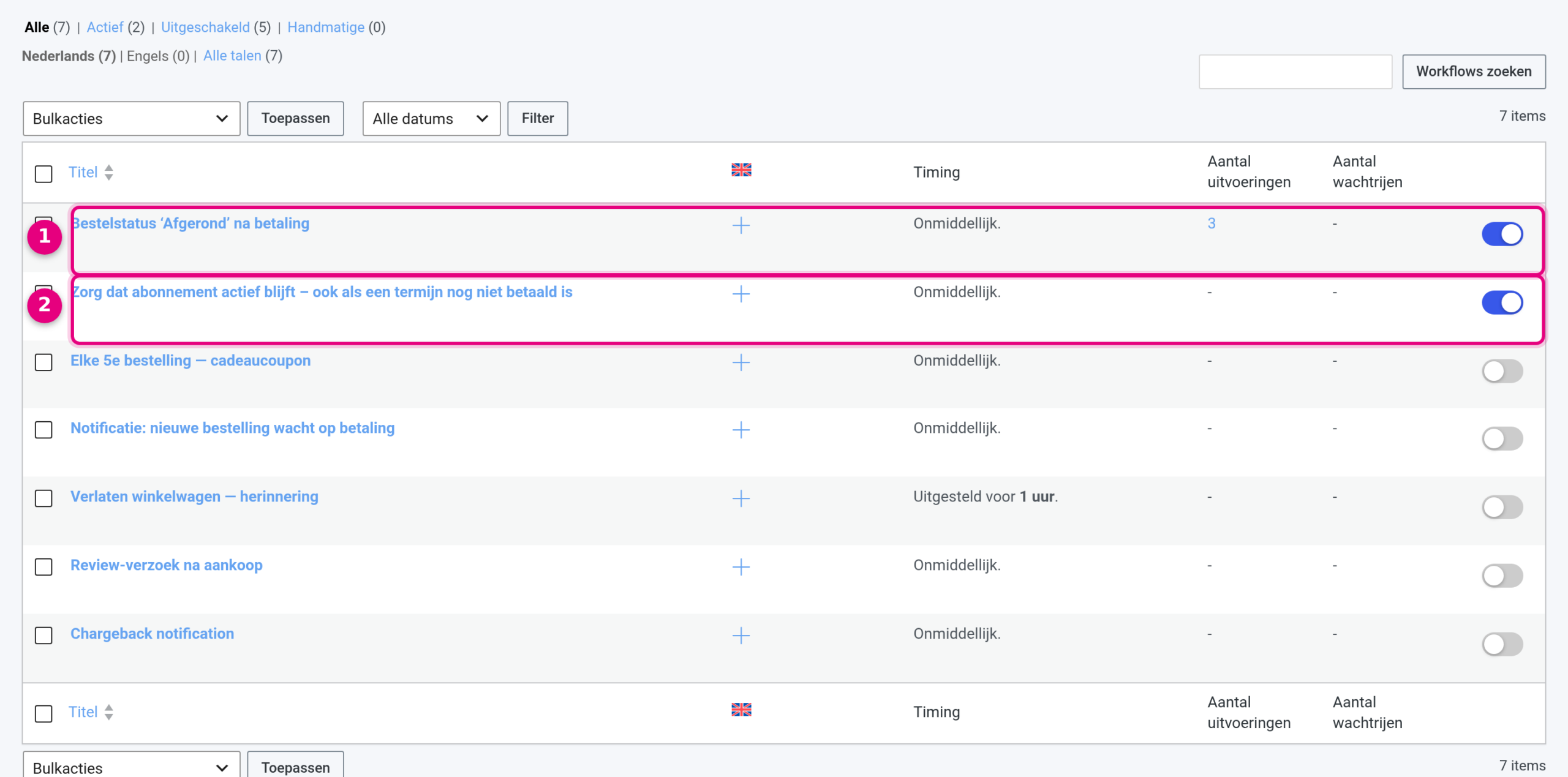
- The workflow Order status ‘Completed’ after payment is the other standard workflow; it makes sure paid orders go straight to Completed (see the related articles).
- The workflow Keep the subscription active – even if an instalment has not been paid yet: on the right, the blue toggle shows that it is active.
If you open the workflow, you see how it is built up:
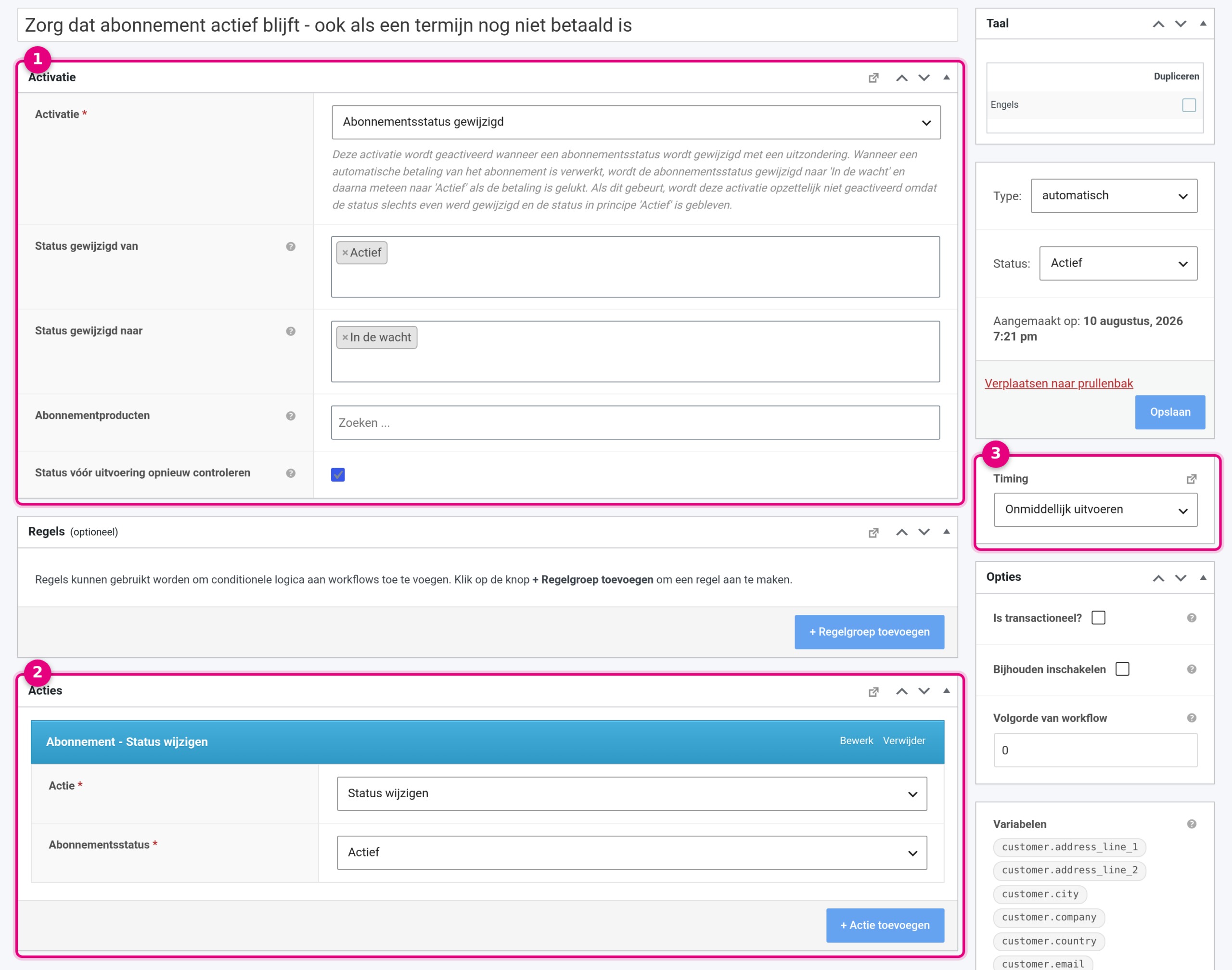
- Trigger: “Subscription status changed”, with Status changed from set to Active and Status changed to set to On hold. The Subscription products field is empty, so the workflow applies to all of your subscriptions. The box “Re-check status before running” is ticked: just before running, the workflow checks whether the subscription is still On hold. The help text below the trigger also describes the built-in exception for automatic payments.
- Actions: “Subscription – Change status” with Change status as the action and Active as the subscription status.
- Timing: Run immediately. In the sidebar the workflow is set to Type automatic and Status active.
What do you watch yourself? #
The workflow keeps the subscription active, but that does not pay the outstanding instalment by itself. Keeping an eye on that remains your job:
- Use Shop → Orders to keep track of outstanding instalment orders (filter on On hold or Pending payment).
- Send your customer a reminder where needed; from the order you can do that straight away with the action “Send order details to customer”, which emails the invoice with payment link again.
- If the customer definitively does not pay, you end the subscription yourself. How to do that neatly is explained in the article about subscription statuses below.


