If you run several websites and want affiliate links from all of them to be tracked correctly, use multidomain tracking. Affiliates can then send visitors from a content blog to your webshop while the commission is still credited correctly, even if the visitor only buys days later.
Affiliate management in Autorespond is based on FluentAffiliate Pro, included in your package.
How multidomain tracking works #
The system works on a hub-and-spoke model. Your main site (where payments take place) is the hub. Your additional websites are the spokes that send visitors to the main site.
A practical example: your webshop is at shop.yourcompany.com (main site) and you have a content blog at blog.yourcompany.com (child site). An affiliate places a link to your blog. Visitors read your blog and click through to your webshop to buy something. Thanks to multidomain tracking, the affiliate receives commission on that sale.
What you need #
- A main site with a full Autorespond installation (where payments take place)
- One or more child sites (content blogs, for example) where you want affiliate links to work
- Administrator access to both websites
The child sites do not need a full Autorespond installation, only the free FluentConnect plugin.
Setting up multidomain tracking #
Setting it up takes four steps. You start on the main site, install a plugin on the child site, generate a connection token and complete the connection.
Step 1: enable multidomain on the main site #
- In your Autorespond administration, go to Shop → Affiliate management
- Click Settings and open the Domain management tab
- Switch on ‘Enable Multi Domain Affiliate’
- Click ‘+ Connect a new site’
- A pop-up appears asking for the config JSON from the child site. Leave it open
Step 2: install FluentConnect on the child site #
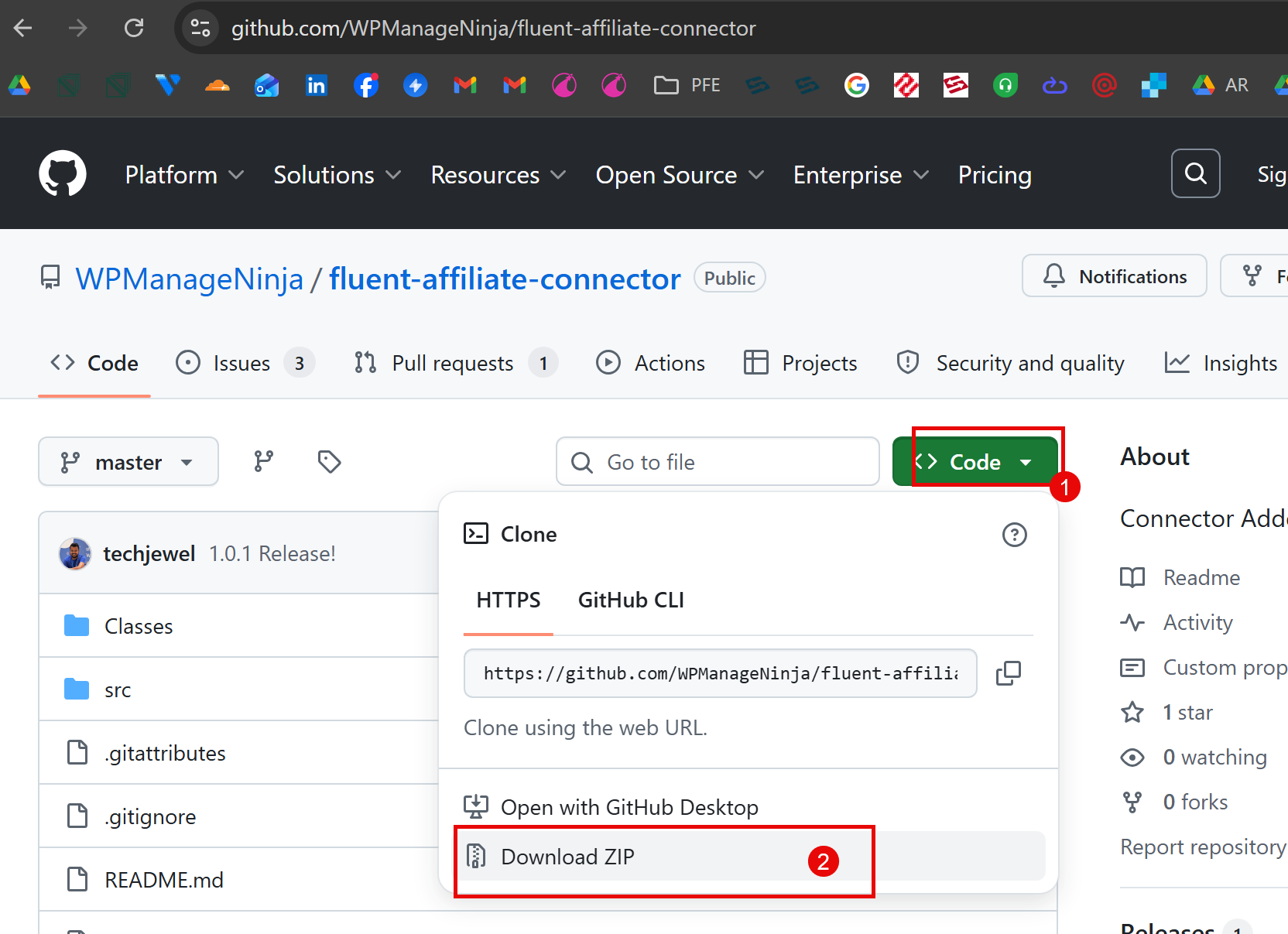
Download the FluentConnect Addon plugin from https://github.com/WPManageNinja/fluent-affiliate-connector or use the download link shown in the pop-up on the main site
- Log in to the WordPress dashboard of your child site
- Download the FluentConnect Addon plugin from GitHub (WPManageNinja/fluent-affiliate-connector) or use the download link shown in the pop-up on the main site
- Install and activate the plugin
- Go to Settings → FluentAffiliate Connector
- Copy the complete config JSON from the ‘This site config’ text box
Step 3: generate a connection token on the main site #
- Go back to the pop-up window on your main site
- Paste the copied config JSON into the text field
- Click ‘Issue New Connect Config’
- After a moment a success message appears with a secure token
- Copy this token
Step 4: complete the connection on the child site #
- Go back to Settings → FluentAffiliate Connector on the child site
- Paste the token into the ‘Connection Token from Main Website’ field
- Click ‘Validate Token and Enable Connection’
- After validation the page shows: ‘Your site is connected with [Name of main site]’
Checking and managing the connection #
Once finished, your child site appears in the ‘All Connected Sites’ table on the main site under Shop → Affiliate management → Settings → Domain management. Here you can add a description and a logo so affiliates recognise the different sites easily.
You can connect several child sites by repeating these steps for each additional website.
How affiliates use multidomain links #
Once multidomain tracking is active, affiliates can generate links to the main site as well as to every connected child site. Tracking works automatically: visitors who click through from a child site to the main site stay linked to the affiliate who referred them.
For more information about setting up your affiliate programme, see also how to create a new customer manually in your system.
Frequently asked questions #
Can I connect several child sites at once? #
Yes, you can connect as many child sites as you like. Simply repeat the four steps for every additional website you want to link to your affiliate programme.
Does multidomain tracking work if visitors have disabled cookies? #
The system relies mainly on cookies for tracking, so disabled cookies can limit what it does. Most visitors have cookies enabled, certainly on e-commerce sites.
Do I need to update the FluentConnect plugin on child sites? #
Yes, keep the FluentConnect plugin up to date to maintain compatibility. Updates often contain improvements to tracking accuracy and security.


