Run an automation only for new customers on their first purchase #
If you want an automation that runs only for new customers on their first purchase, you set this in the trigger settings of the automation.
Create the automation #
Go to CRM & Emails → Automations and click Add new automation.
Give the automation a name such as ‘Welcome new customers’ and click Save and continue.
Set the trigger #
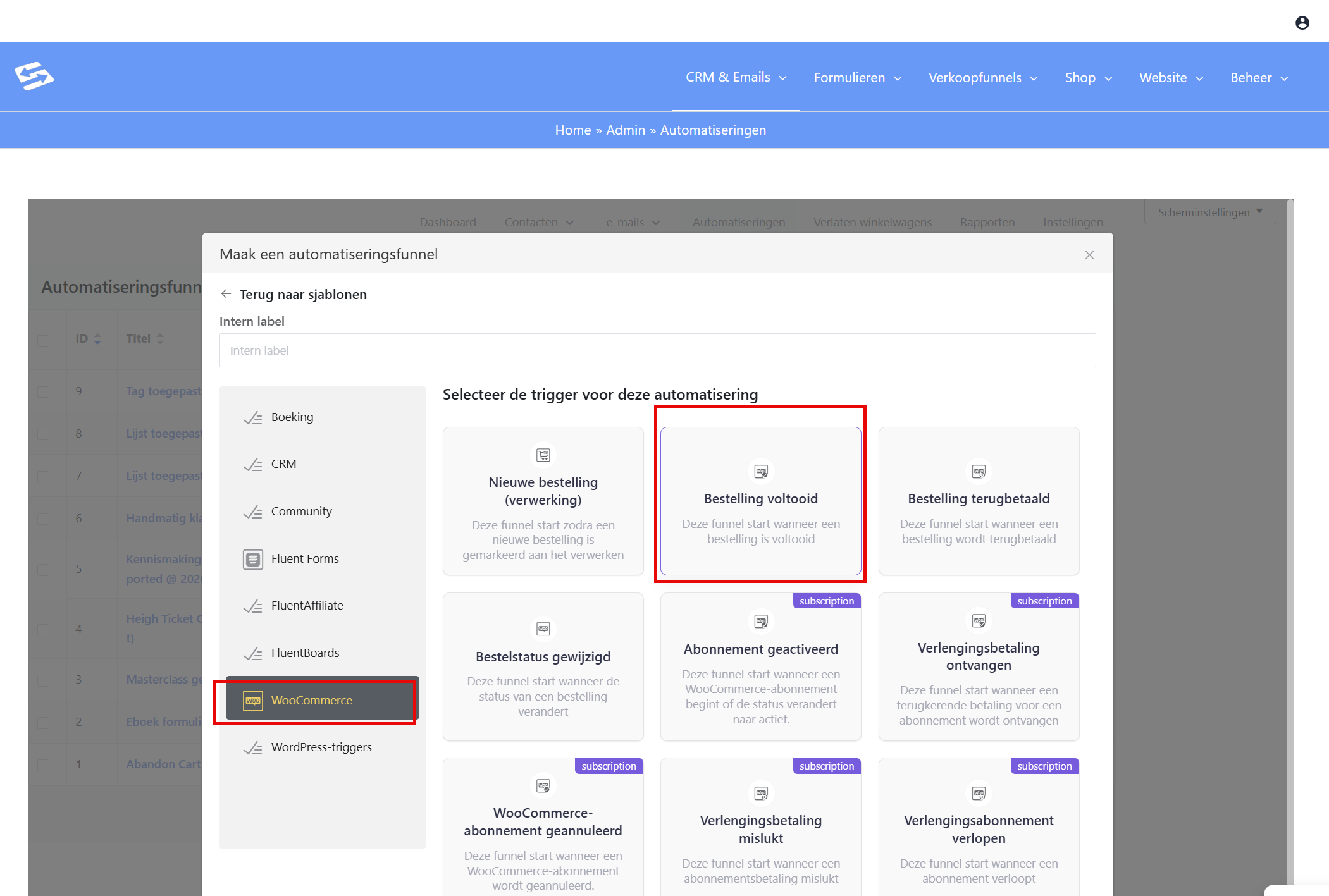
As the trigger, choose WooCommerce → Order completed.
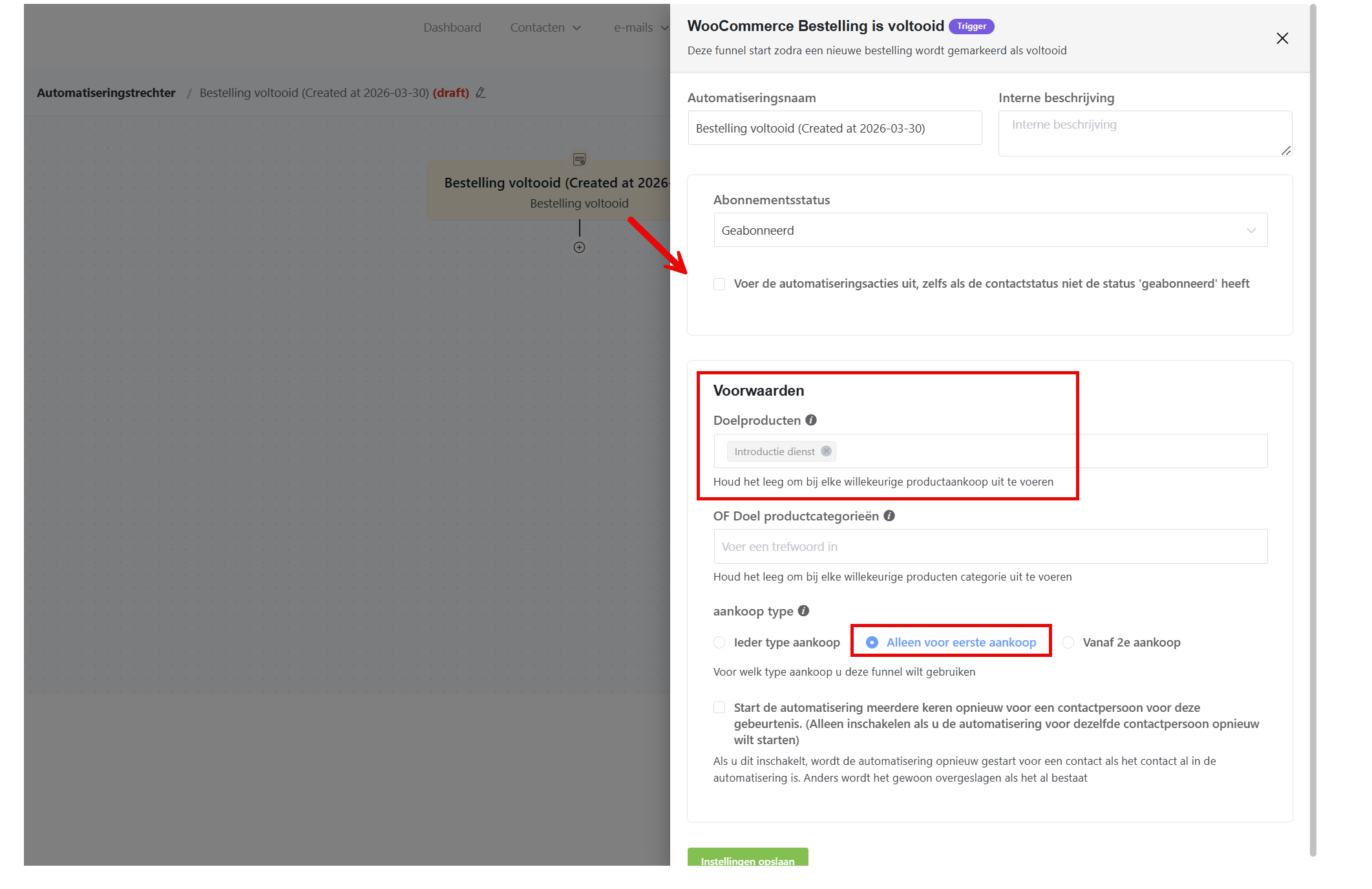
Click the trigger to open its settings. It shows several options, including ‘Only for the first purchase’.
Switch this option on. The automation then starts only when someone places an order in your shop for the first time.
Add follow-up actions #
Next, add the actions you want to the automation, for example:
- Send a welcome email
- Apply a specific tag
- Add the customer to a dedicated list for new customers
- Start an email sequence
Test and activate #
Test the automation by placing a test order, or use the preview function. Once everything works, activate the automation with the toggle at the top right.
Points to keep in mind #
The ‘first purchase’ is determined by the customer email address. If someone has placed an order with that same email address before, the order does not count as a first purchase.
Customers who have ordered before and place another order do not trigger this automation. For those customers, build a separate automation without the ‘only for the first purchase’ setting.


