Show testimonials on an external website with the iframe method #
If your Autorespond installation is on a subdomain but you want to show testimonials on your external main website, the shortcode will not work directly. Shortcodes are specific to WordPress and only work within the same installation.
Why shortcodes do not work on external websites #
The shortcode
[wp_social_ninja id="..." platform="testimonial"]can only be used on pages within the same WordPress installation where the Social & Reviews module is active. On an external website the shortcode is not recognised.
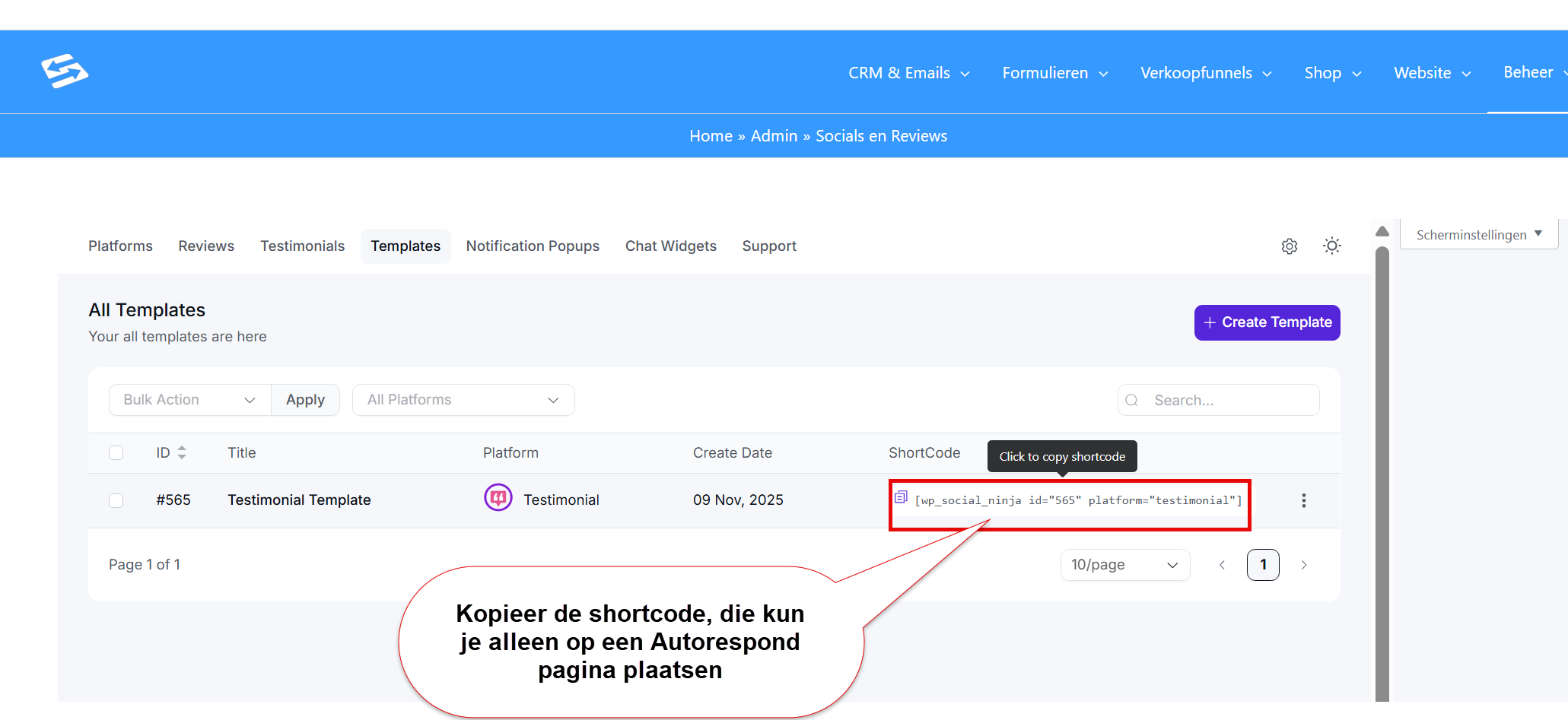
Solution: the iframe embed method #
For testimonials on your external website you use an iframe that points to a dedicated page on your Autorespond subdomain:
Step 1: Create a testimonial page #
- Go to Website → Pages in your Autorespond administration
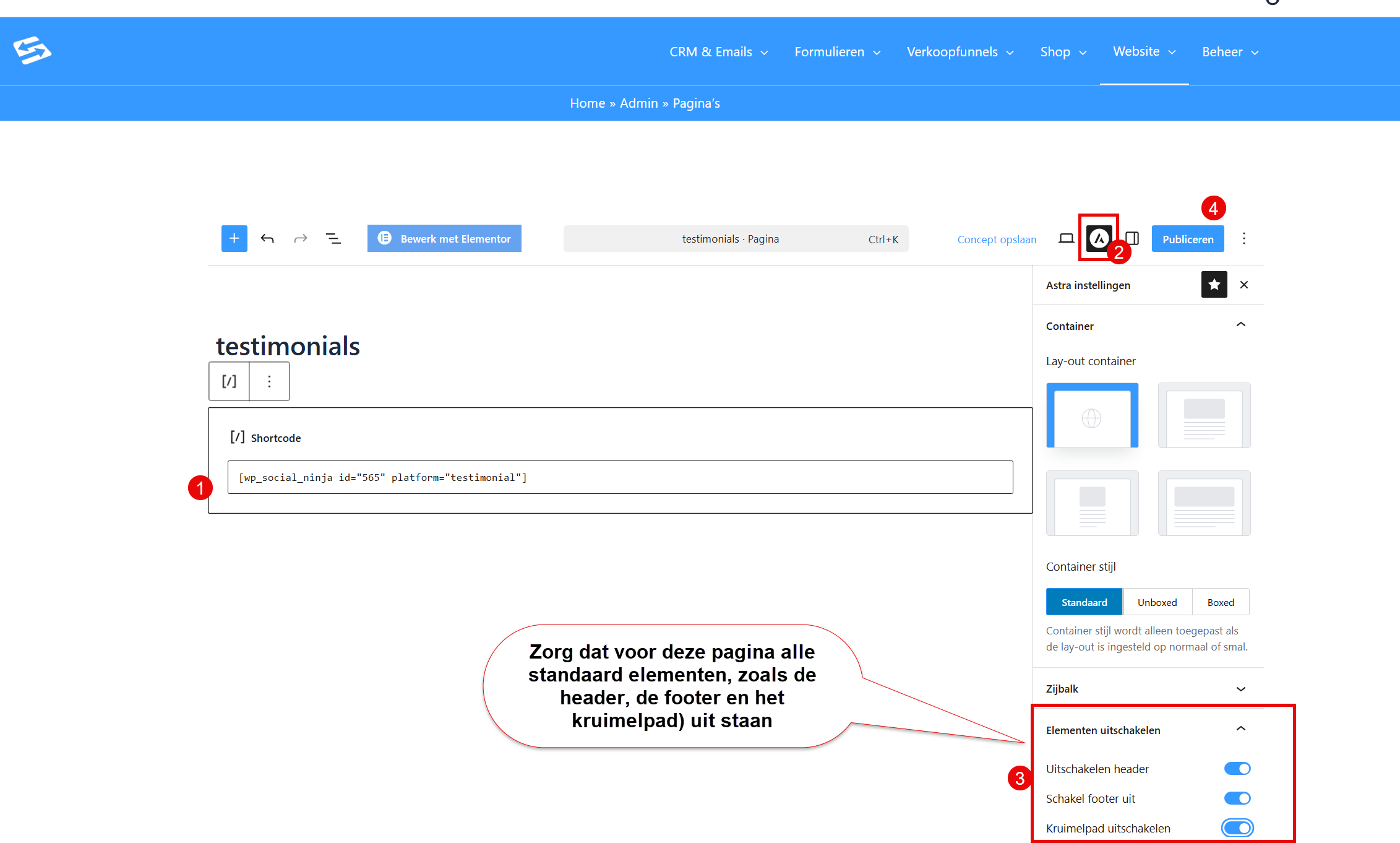
- Create a new page with a name such as ‘Testimonials widget’
- Add only the testimonial shortcode to this page
- Click the WP Astra icon and scroll to ‘disable elements’ to hide the header, the footer and the breadcrumb on this page, because we do not want to show those in the iframe
- Publish the page and copy the URL
Step 2: Iframe code on the external website #
Add the following code to your external website where you want to show the testimonials:
<iframe src="https://yoursubdomain.com/testimonials-pagina" width="100%" height="600"></iframe>
Adjust the height to the number of testimonials you show.
Because of clickjacking protection, iframes can only be embedded on your own (sub)domain. If you want to embed the testimonials on a different domain, please contact support.
Frequently asked questions #
Why does the testimonial shortcode not work on my main website? #
Shortcodes are specific to WordPress and only work within the same installation where the plugin is active. For external websites you use the iframe method.
Can I make the iframe responsive? #
Yes, use width=”100%” for the iframe and adjust the height to your content. You can also use CSS media queries for different screen sizes.
Are new testimonials shown in the iframe automatically? #
Yes, because the iframe points to the live page on your subdomain, new testimonials become visible automatically without any changes to the iframe code.


