Your community can live hidden behind a login, or be your best salesperson. In this article you decide where your community sits on your website: as the home page or behind a clear button, with public spaces as an introduction, lock screens as landing pages and a sitemap for findability.
The community and course features in Autorespond are based on FluentCommunity, included in your package. Read the English documentation
1. Choose your model: portal first or website first #
- Website first (recommended for most sites), your home page explains what you offer and has a prominent button to the portal. New visitors first understand what you offer; members click straight through. Put the portal button in your main menu (“Community” or “Academy”).
- Portal first, the community is your site: visitors land straight in the portal. Strong for pure community brands. To do this, set your portal page as the home page of your website and make sure portal access is public, so visitors can read along before they join.
2. Public where it should attract, closed where it should sell #
The mix of public and restricted determines how well your community sells:
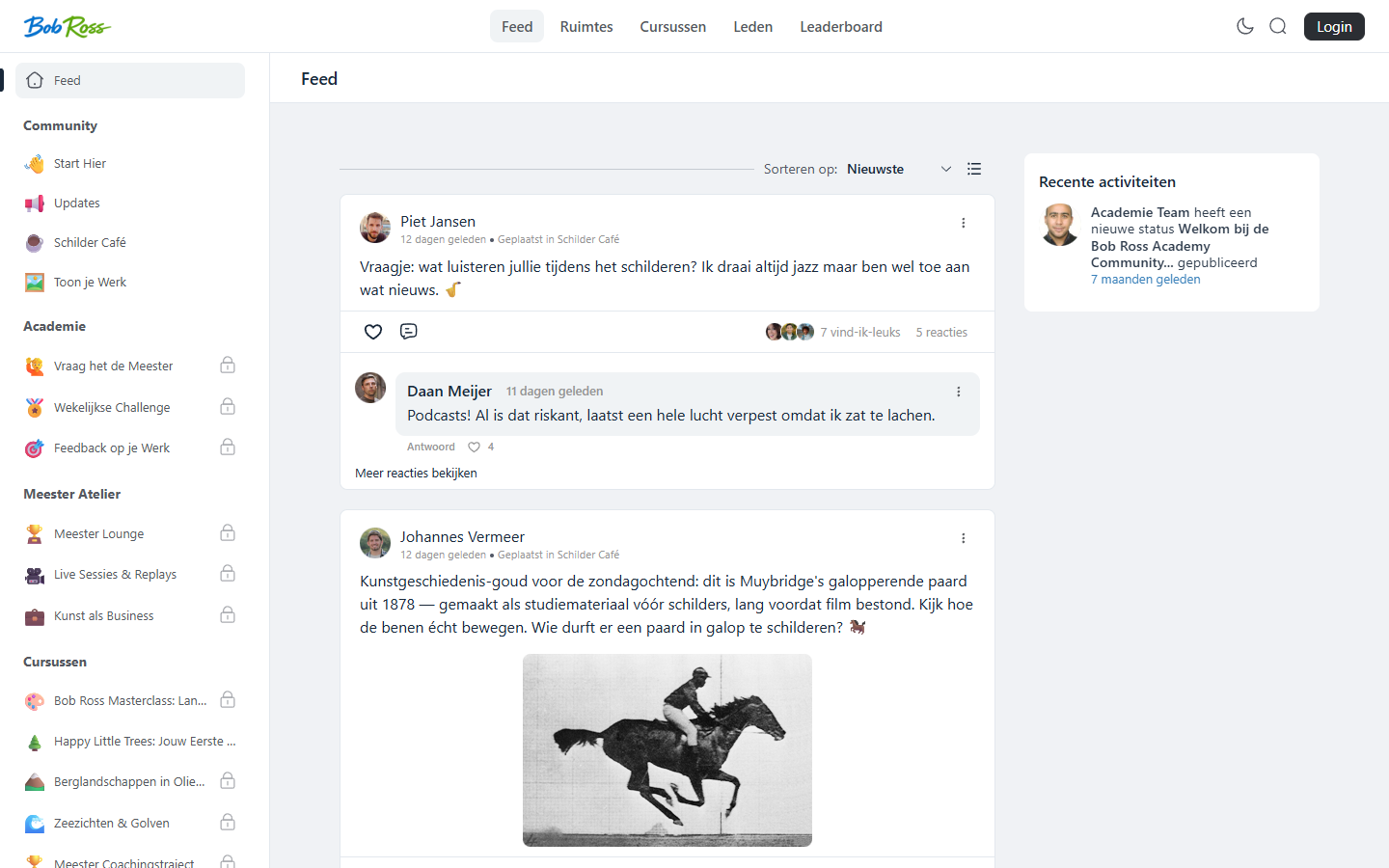
- Make one or two spaces public, your welcome space and a lively general space. Visitors (and search engines) see real activity: the best proof that your community is alive.
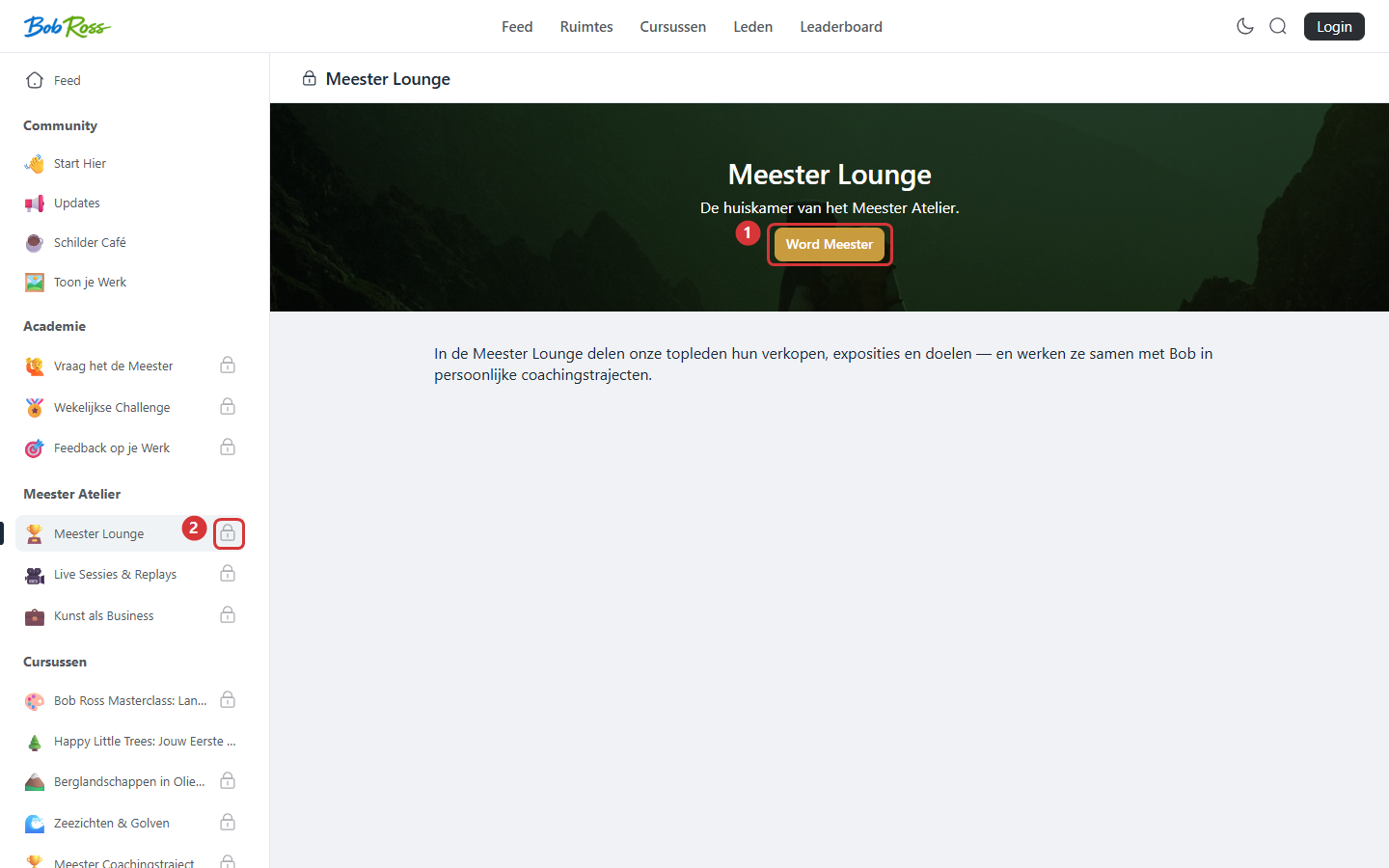
- Keep your valuable spaces and courses private, with a lock screen that explains what is behind it and a button to your sign-up page. Every restricted space becomes a mini landing page that way.
- Offer a free entry point, a public taster course or a free membership that grants access automatically through a tag. From there your upsell flow leads to the paid level (see the automations article).
3. Findability: sitemap and sharing #
- Generate the sitemap of the portal in the portal settings, so search engines know your public spaces, posts and course overviews. Submit the sitemap to Google Search Console, alongside the one for your regular website.
- Public posts have their own shareable URL, so feel free to share your best posts in your newsletter or on social media: whoever clicks sees the community around it straight away.
- Everything that is private or secret stays invisible to search engines as well. Restriction always takes precedence over findability.
4. The first impression for visitors who are not logged in #
Look at your portal regularly in an incognito window: that is what a new visitor sees. Check the logos, the public spaces, the lock screens and where the sign-up buttons lead (configurable under portal access, see the article on general settings). Within ten seconds a visitor should understand: this is a lively place, this is what it costs, and this is where I sign up.
Frequently asked questions #
Does a public community harm my exclusivity? #
No, as long as you choose deliberately what is public. The welcoming outside public, the value behind it closed, that way it is inviting and exclusive at the same time.
Can I run the portal on its own subdomain? #
The portal runs on your website under its own path (for example /portal/). If you want a separate domain set-up, discuss the best arrangement for your situation with support.
Do member posts appear in Google? #
Only posts in public spaces can be indexed. Posts in private and secret spaces and everything behind a membership stay out of search engines.


