Module
This guide belongs to the Appointment scheduling module. It is part of Everything, and you can also add it to your plan on its own. See what the module does
Please note: only do this after you have gone live (so not yet in the onboarding environment)
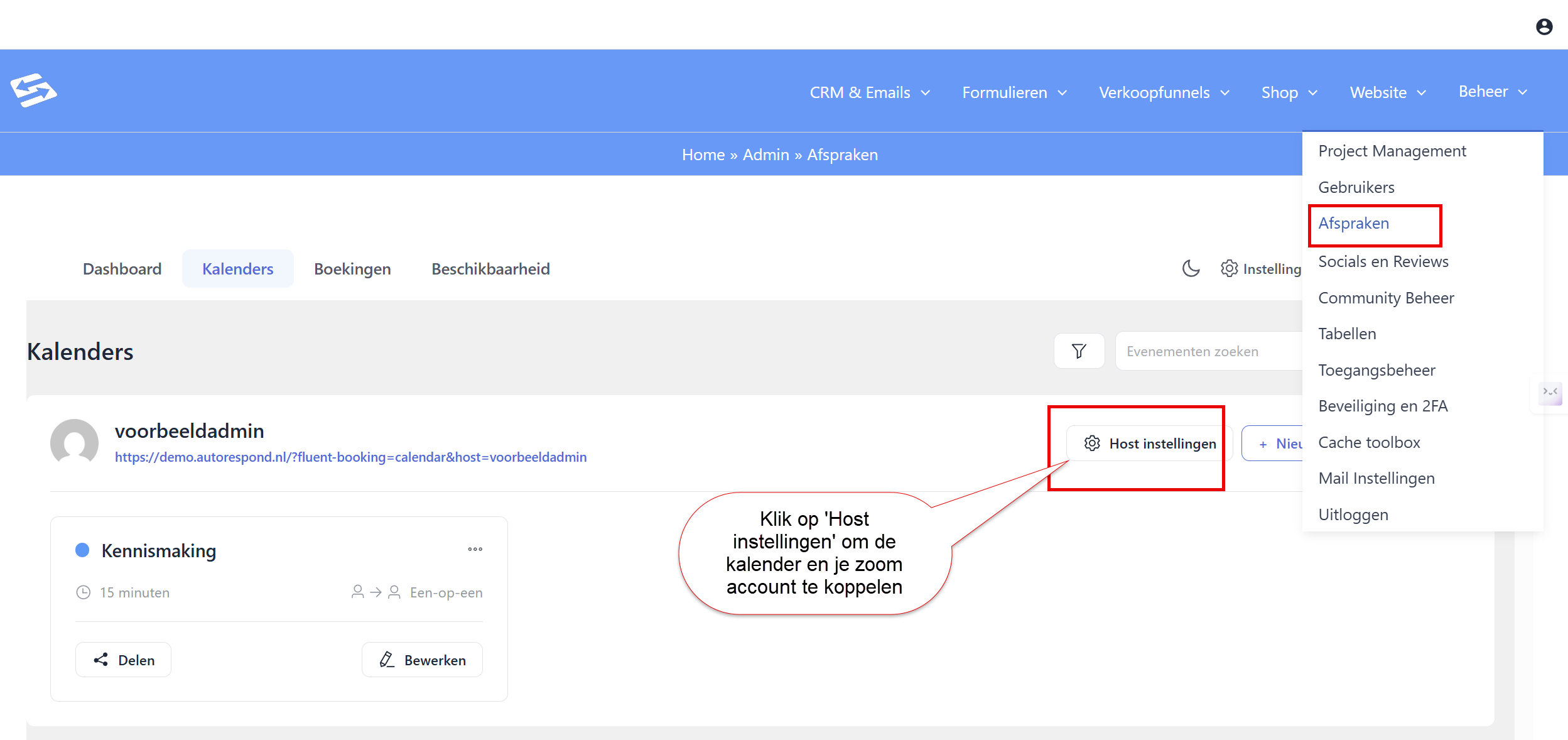
To connect your calendar to the appointment scheduler, go to Manage > Settings and then, under the Calendars tab, click ‘Host settings’:
Then go to the tab ‘External calendars and choose the calendar you want to connect with:
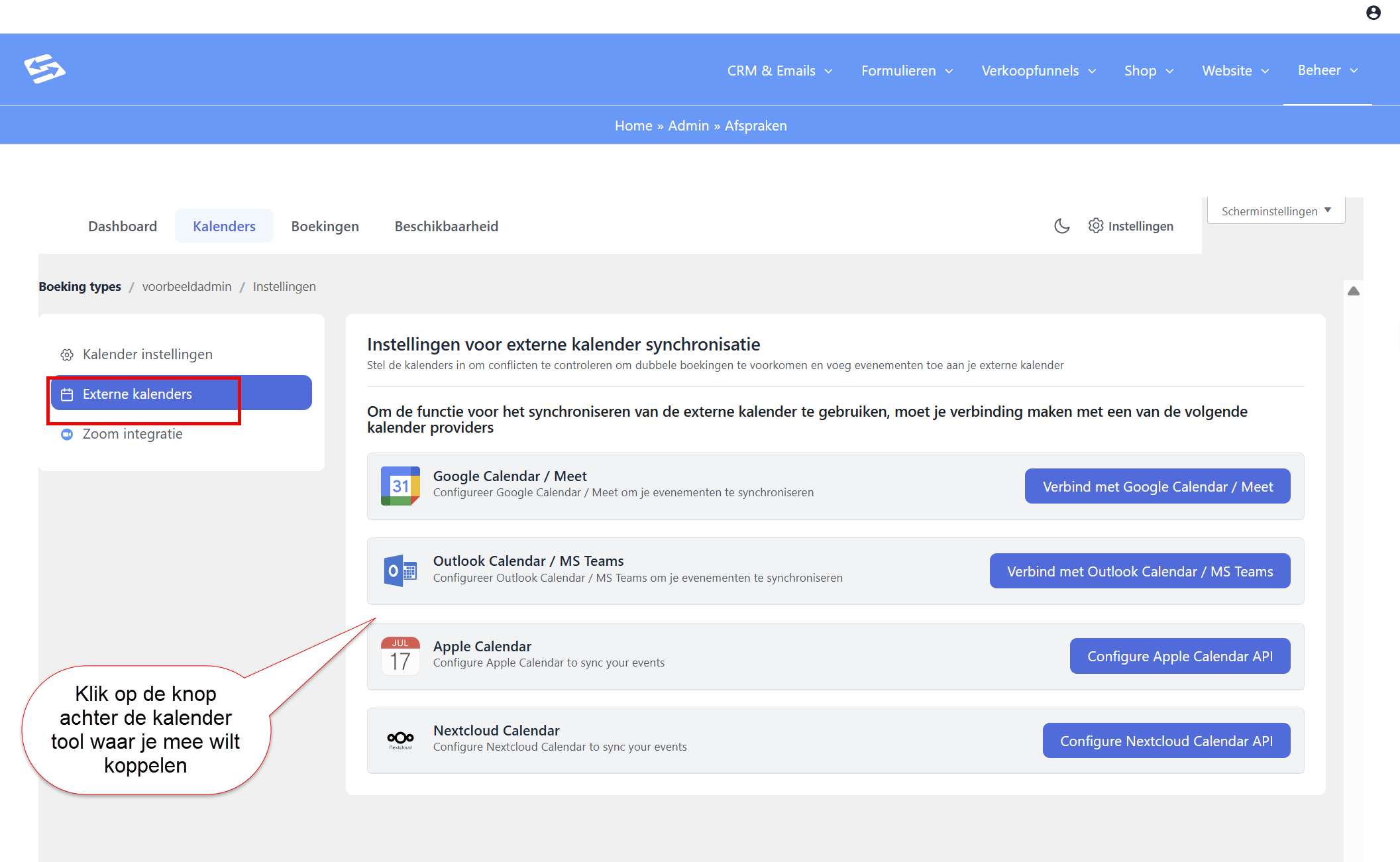
Then go through the wizard and give the permission needed to connect with your calendar.
Once you have connected this, an appointment can only be booked at a time that is free in your connected calendar.


