Would you like to show your own text on the invoice for a particular product, for example different terms or payment conditions? You can do this without a second invoice template. The invoice in Autorespond automatically includes the short product description of each product on the invoice line. That way you keep the same invoice layout everywhere and still pass on specific information per product.
Invoice management in Autorespond is based on WP Overnight PDF Invoices & Packing Slips Pro, included in your package. Read the WP Overnight documentation
How it works #
Each product line on the invoice automatically shows the short product description of that product in italics, below the product name. If a product has no short product description, only the product name appears. So you set the text per product, without changing anything in the invoice template.
Would you like to show a text that depends on the situation rather than on the product, for example only for unpaid orders or only for customers in a particular country? Then use a custom block with conditions, as explained in showing IBAN details conditionally on invoices.
Step 1: put the text in the short product description #
Go to Shop → Products and open the product for which you want your own text on the invoice. Below the large text editor, scroll to the Short product description block.
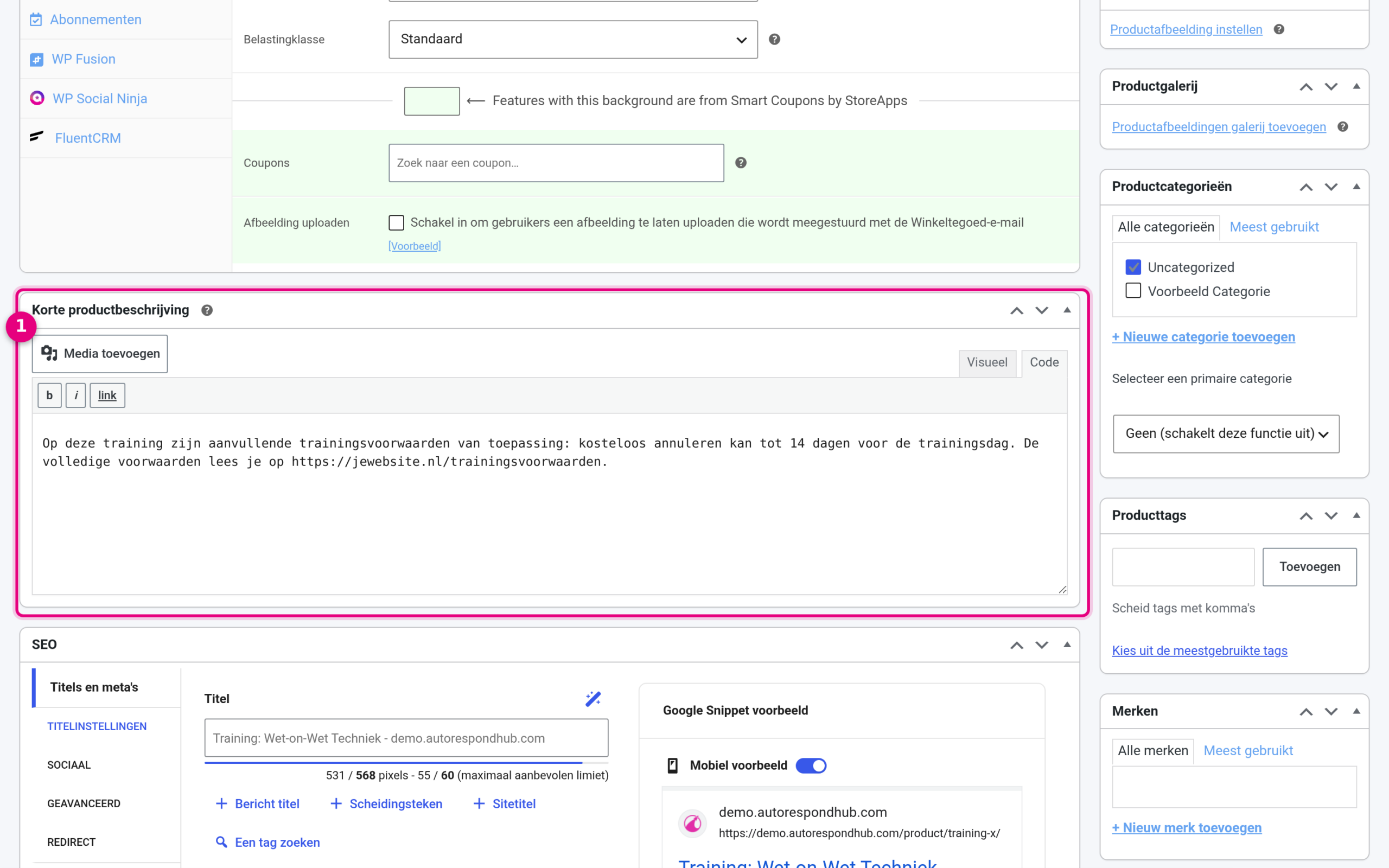
- The Short product description field. The text you enter here appears on the invoice line for this product. Keep it short and businesslike, for example a reference to your additional terms or the payment conditions for this product.
Then click Update at the top right to save the product.
Step 2: check the setting in the PDF Customizer #
This display is switched on by default in Autorespond. Would you like to check how it is configured, or adjust the styling? Go to Shop → Invoice management, open the Customizer tab and select the Invoice document at the top. Then click the Product column.
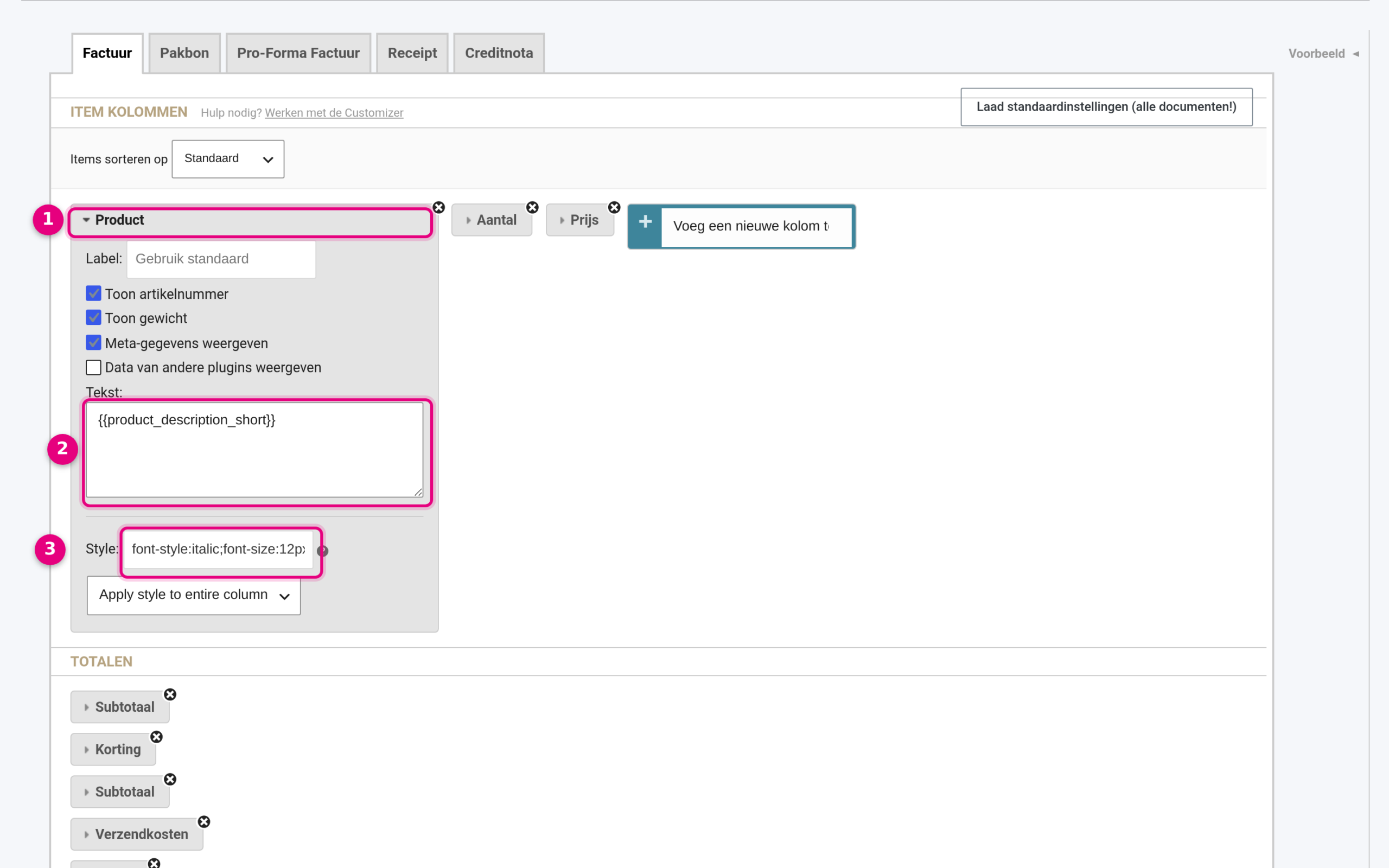
- The Product column. Click the column name to expand its settings.
- The Text field containing the code {{product_description_short}}. This code puts the short product description below the product name. If you would rather show the full product description, use {{product_description_long}}.
- The Style field determines the styling of the column. By default it contains font-style:italic;font-size:12px; so the text appears in italics and slightly smaller.
If you change anything here, click Save changes at the bottom. The preview on the right (via the Preview button) shows the result straight away.
The result on the invoice #
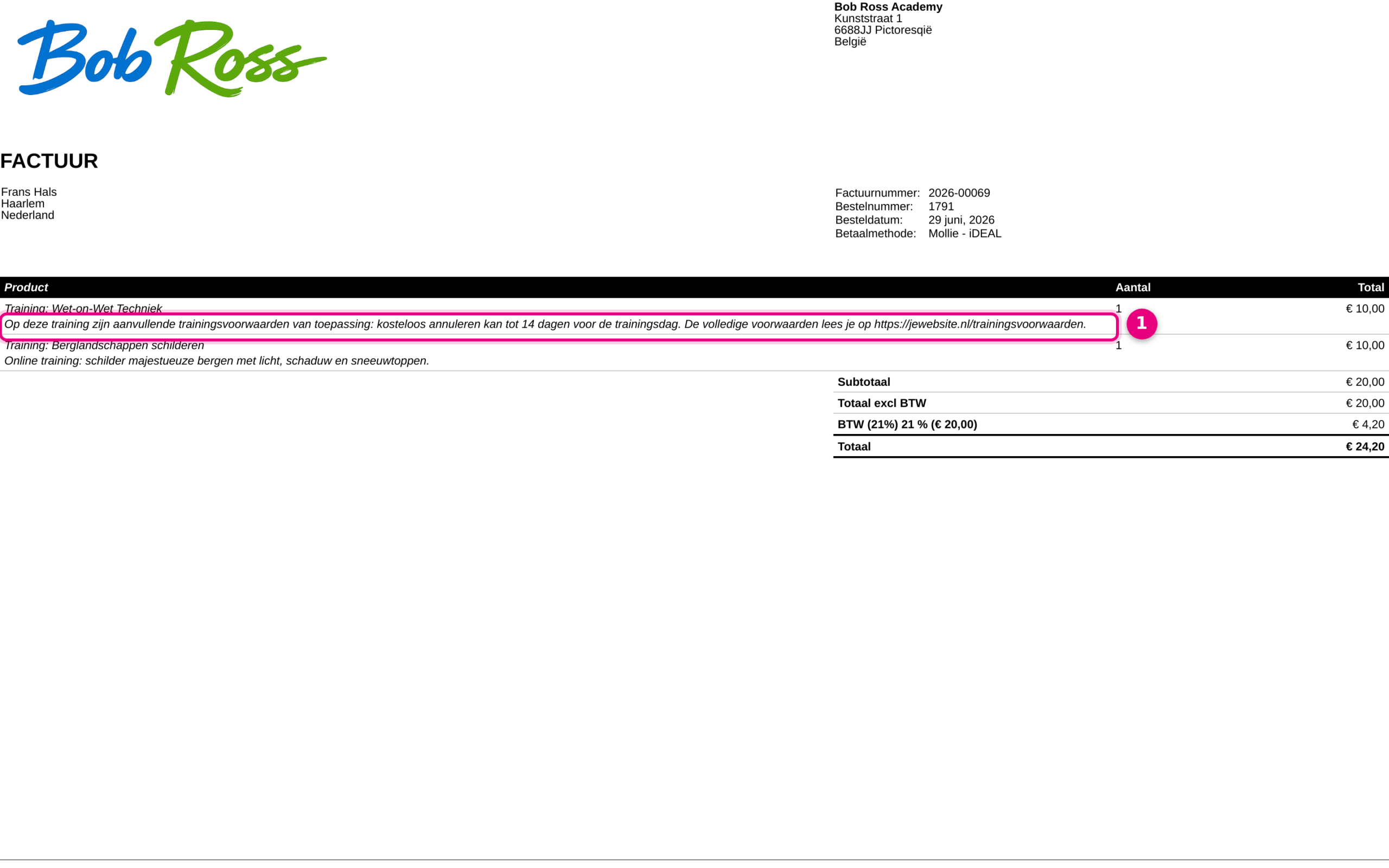
- The text from the short product description appears in italics below the product name. Each product on the invoice shows its own text: the second product in this example has an ordinary description, without separate terms.
Worth knowing #
- The short product description is also visible on the product page in your webshop. If you sell not through the webshop but through order links on your own (landing) pages, your customers will not see it.
- Would you like a text that must not be visible in the webshop? Add a column of the type Custom field (Product) in the Customizer and fill it from your own product field.
- For texts that depend on the order rather than the product (order status, payment method, country or customer role), use custom blocks with conditions under Shop → Invoice management → Customizer.


