Receiving notifications when contacts unsubscribe #
When a contact unsubscribes from your email marketing, no automation starts. That is standard behaviour, because unsubscribed contacts may no longer receive marketing emails. There are, however, several ways to keep track of unsubscribes for your own administration.
Setting up an email notification for unsubscribes #
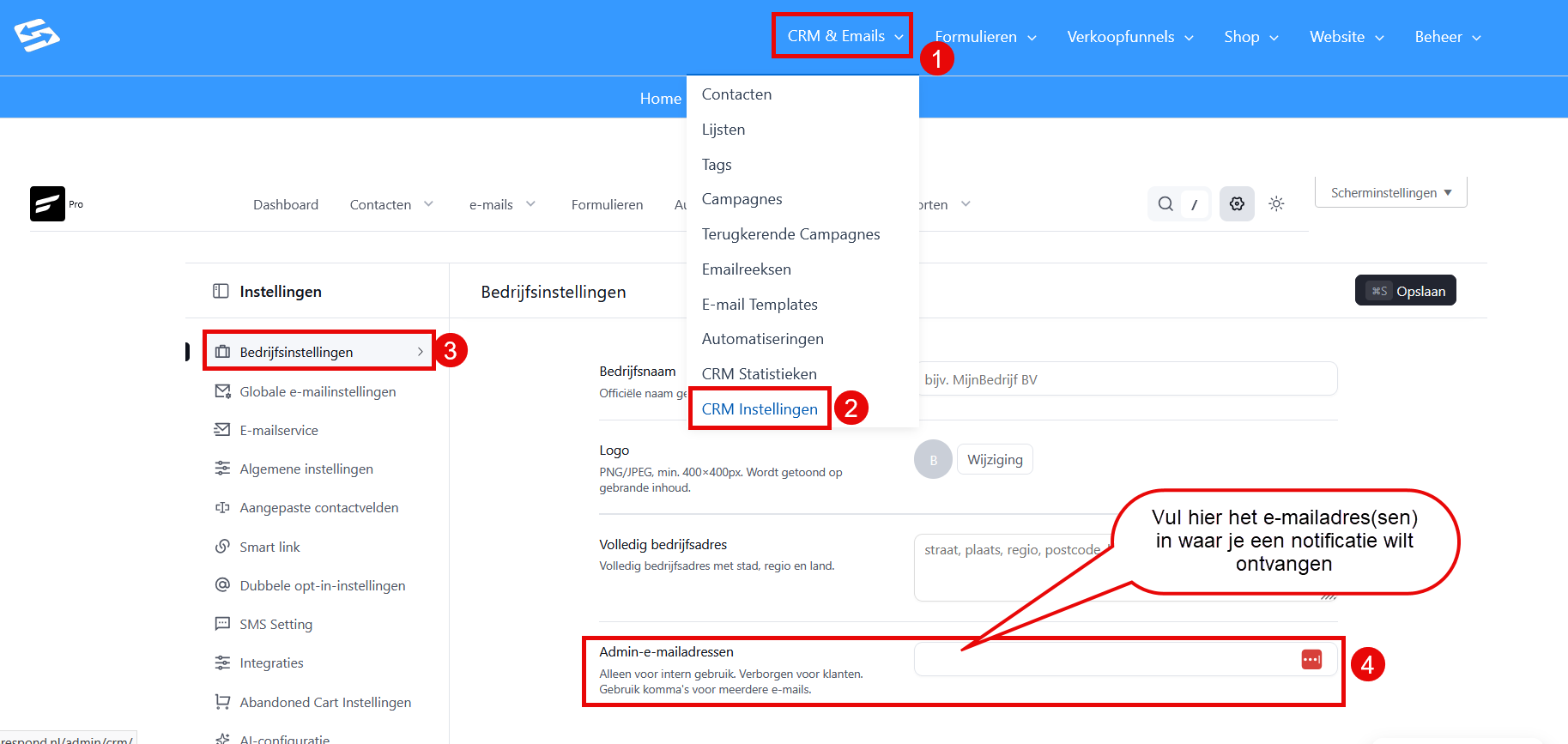
You can receive an automatic notification whenever someone unsubscribes:
- Go to CRM & Emails → CRM Settings
- Scroll down to the ‘Business settings’ section
- Under ‘Admin email addresses’, enter the address where you want to receive notifications
- Separate multiple addresses with a comma
- Save the settings
You will now automatically receive an email notification each time a contact unsubscribes.
Cleaning up unsubscribed contacts periodically #
If you want to remove unsubscribed contacts on a regular basis:
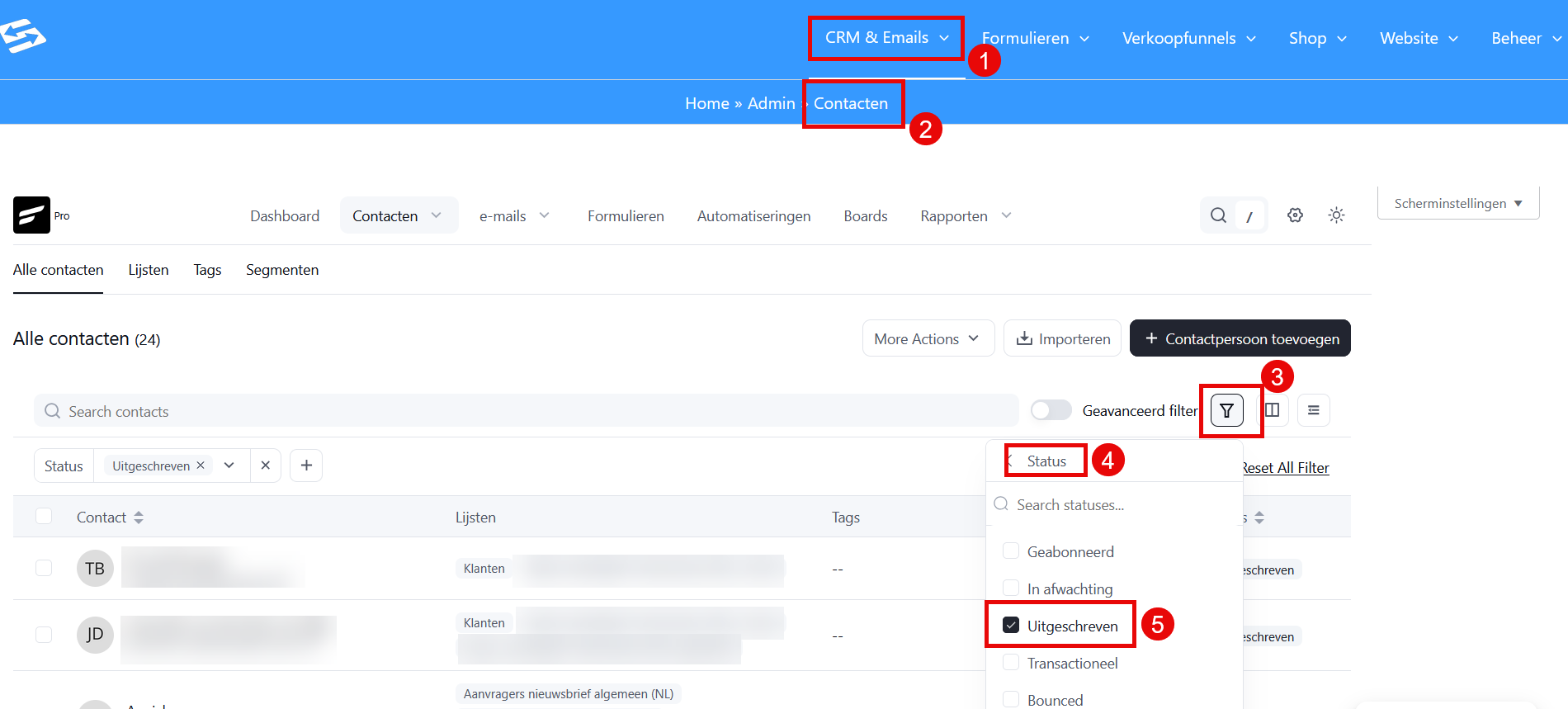
- Go to CRM & Emails (1) → Contacts (2)
- Click ‘Advanced filter’ in the top right (3)
- Set the filter to Status = ‘Unsubscribed’ (4)(5)
- Sort by ‘Last activity’ to bring the oldest unsubscribes to the top
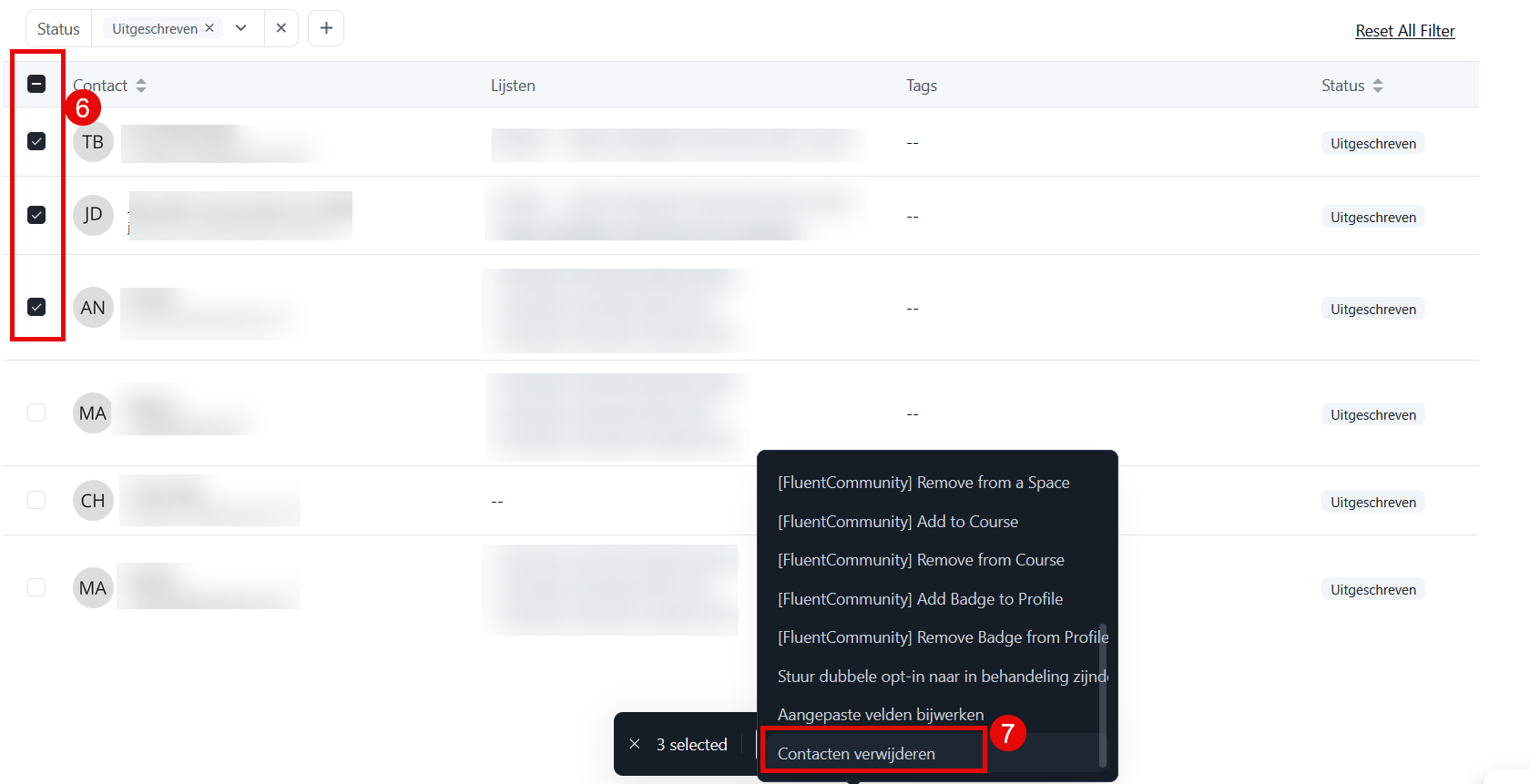
- Select the contacts you want to remove (6)
- Choose ‘Actions’ → ‘Delete contacts’ (7)
Please note: deleted contacts cannot be restored. Always keep a copy of important customer data elsewhere before you delete contacts permanently.
Setting up a webhook for external systems #
For advanced users who want to forward unsubscribes to an external system:
- Go to CRM & Emails → CRM Settings → Incoming webhooks
- Create an outgoing webhook that triggers on status changes
- Configure your external system to receive the webhook
This option requires technical knowledge and is mainly useful for connections with external CRM systems or dashboard tools.
Frequently asked questions #
Why does no automation start when someone unsubscribes? #
This is standard behaviour, to prevent unsubscribed contacts from still receiving marketing emails. Under GDPR, contacts who have unsubscribed may no longer be sent marketing emails.
Can I see when someone unsubscribed? #
Yes. Open the contact profile and look at the ‘Emails’ tab. It shows the history of all email activity, including the date of the unsubscribe.


