Setting up a birthday email with an automation #
In Autorespond you can send birthday emails to your contacts automatically with a recurring automation. It works on the basis of the date of birth field in your contact list.
Requirements #
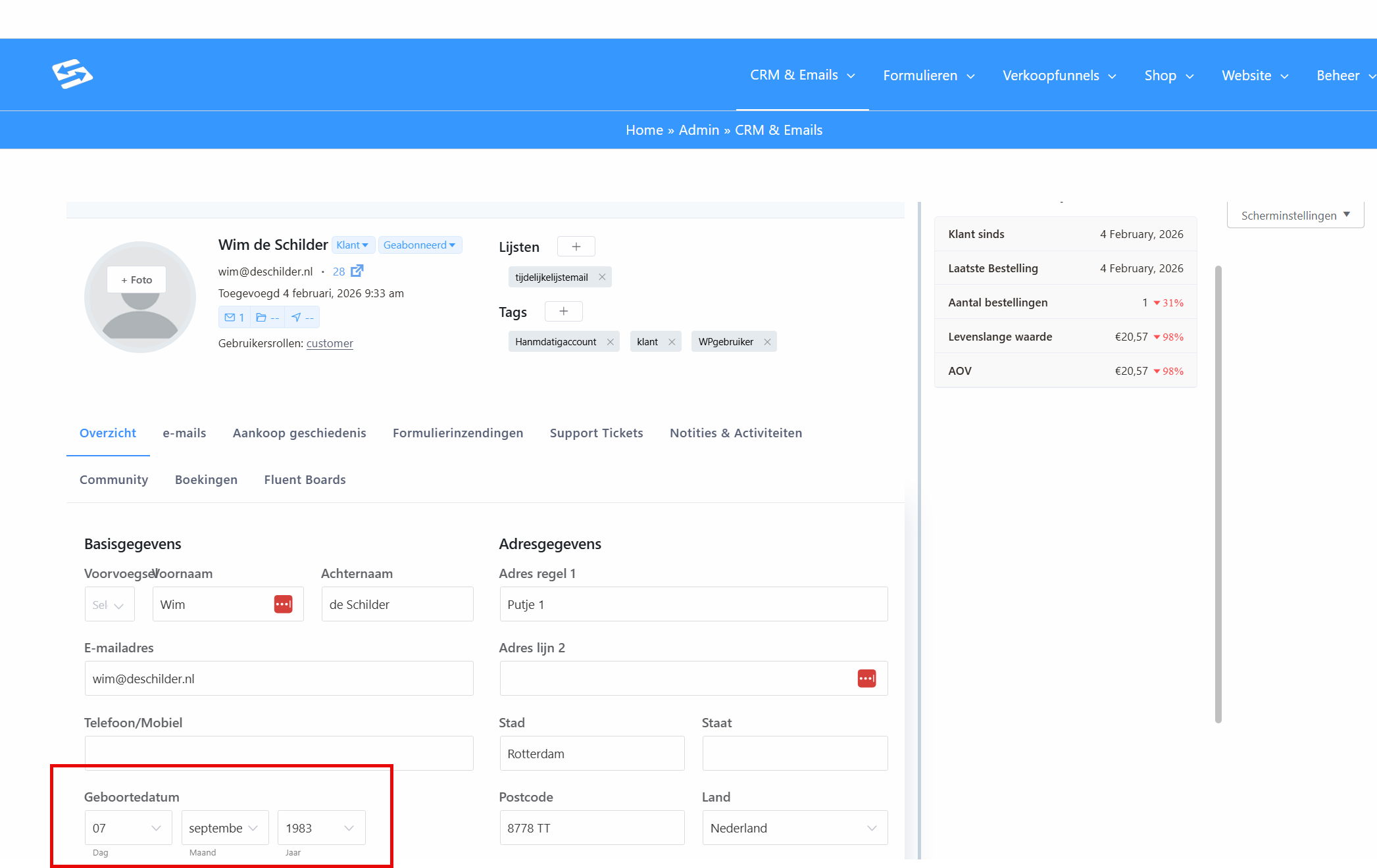
Before you can set up a birthday email, make sure your contacts have a date of birth on file. This field is available in every contact profile by default.
The date of birth field on the contact #
Each contact needs the date of birth field filled in. You can do that in the contact settings:
You can also collect this information through forms. See the explanation on linking form fields to the CRM: https://autorespondhub.com/docs/connecting-form-sign-ups-to-the-crm/
Creating the automation #
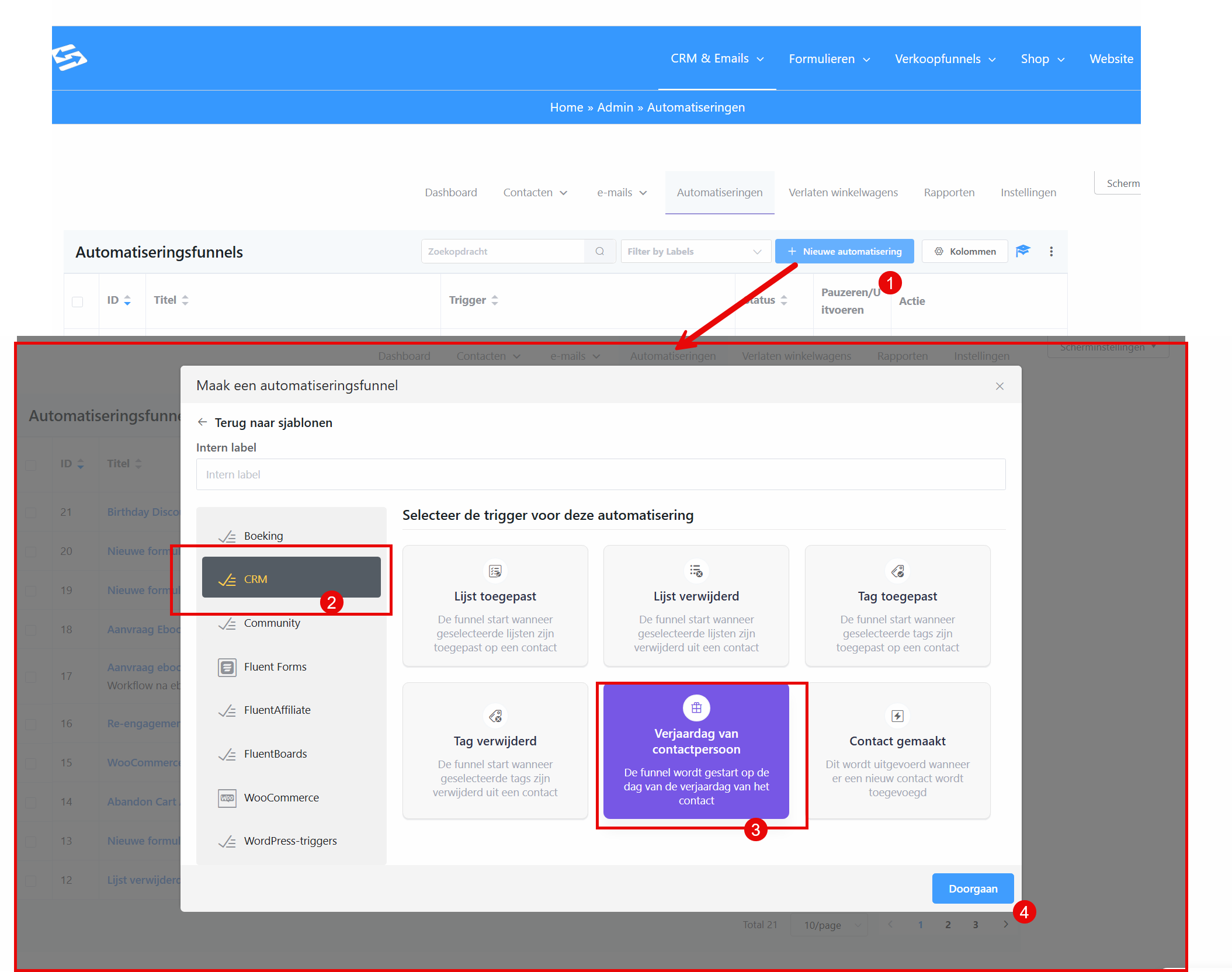
- Go to CRM & Emails → Automations
- Click Add new automation
- Give the automation a name such as “Birthday email”
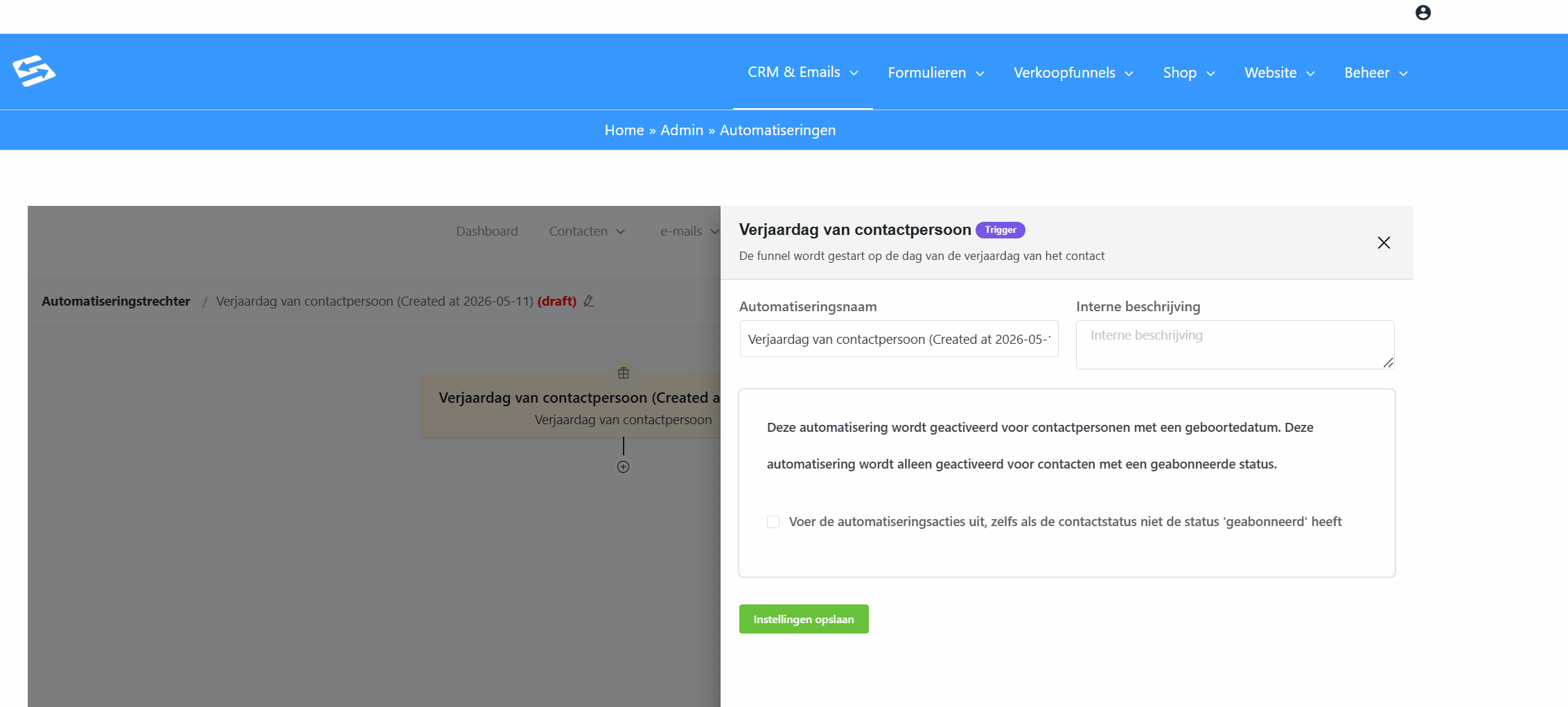
- As the trigger, select Contact birthday
- Save the trigger
Adding the email action #
- Click the + icon below the trigger
- Go to the Actions tab
- Select Send custom email
- Set up your birthday email:
- Enter a subject line (for example: “Happy birthday {{contact.first_name}}”)
- Write your birthday message or import an existing template
- Use the shortcode {{contact.first_name}} to address the contact personally
- Save the email action
Activating the automation #
Do not forget to activate the automation with the switch at the top of the page. Only active automations run.
Further options #
You can extend the birthday automation with additional actions:
- Add a dedicated birthday tag
- Send a discount code
- Add the contact to a dedicated birthday list
- Send a follow-up email a week later
Testing the automation #
To test whether the automation works, you can temporarily change your own date of birth to today. Remember to set it back to the correct date afterwards.
Frequently asked questions #
Why do some contacts not receive a birthday email? #
Contacts only receive a birthday email if they have a date of birth on file and an active status (Subscribed) in the CRM. Check both fields in the contact profile.
At what time is the birthday email sent? #
The birthday email is sent according to the time zone settings of your Autorespond account. That is usually in the early morning of the date of birth.
Can I send the birthday email a day earlier or later? #
Yes. With the date based trigger you can set the automation to start, for example, one day before the date of birth, or one day after. You configure this in the trigger settings.


