Change the logo in your website header #
You can easily change the logo in the header of your Autorespond website through the Website Settings. This logo is shown at the top of every page of your website and is often the first thing visitors see.
How to change the logo #
- In your Autorespond administration, go to Website → Website Settings to open the Customizer
- Click the Header panel
- Select Site title & logo
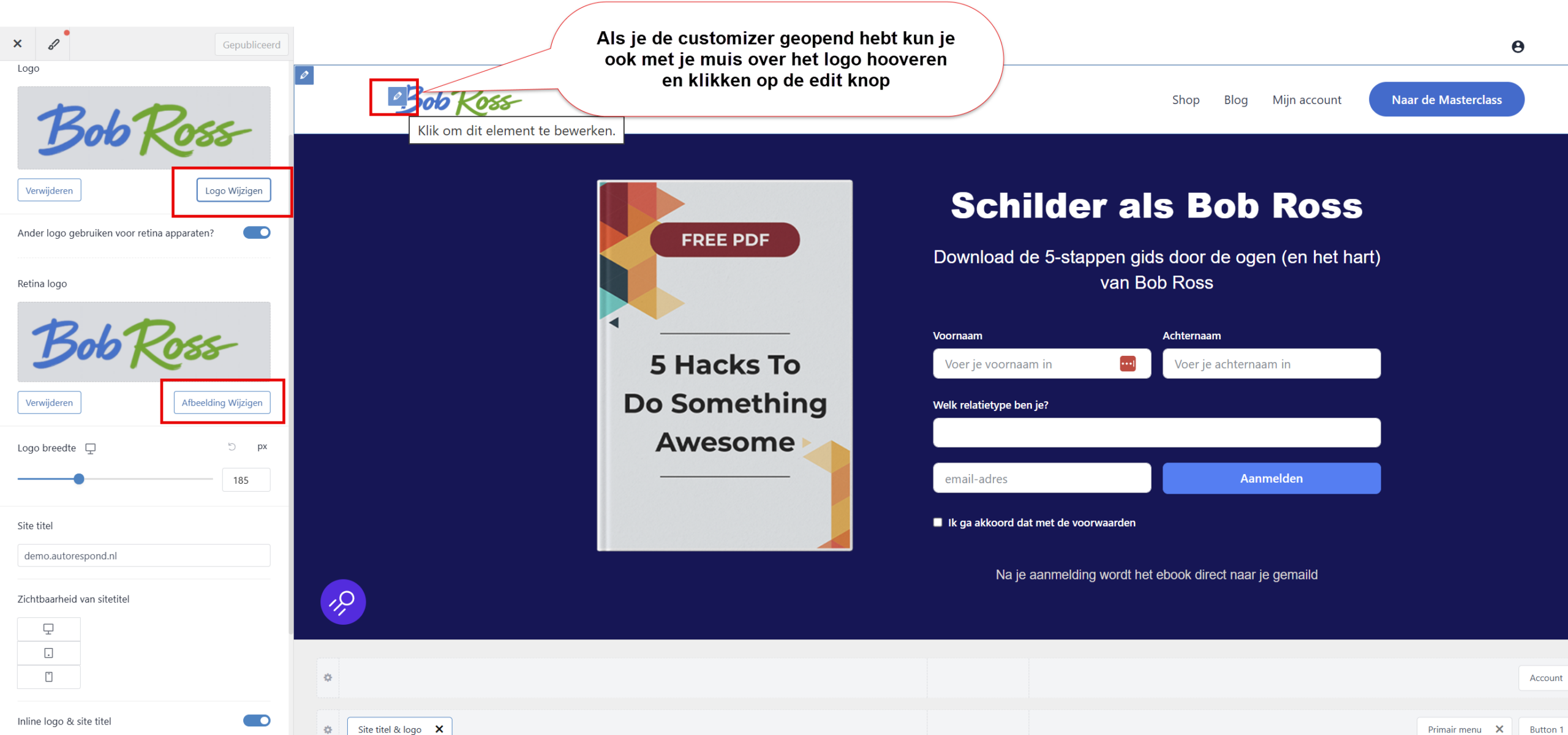
- Click Select logo to upload a new logo or choose an existing image
- Upload your logo (recommended format: PNG or SVG for the best quality)
- Optional: also upload a Retina logo for high-resolution screens
- Click Publish to save the changes
The logo becomes visible straight away in the preview of the Customizer, so you can see how it looks before you publish it.
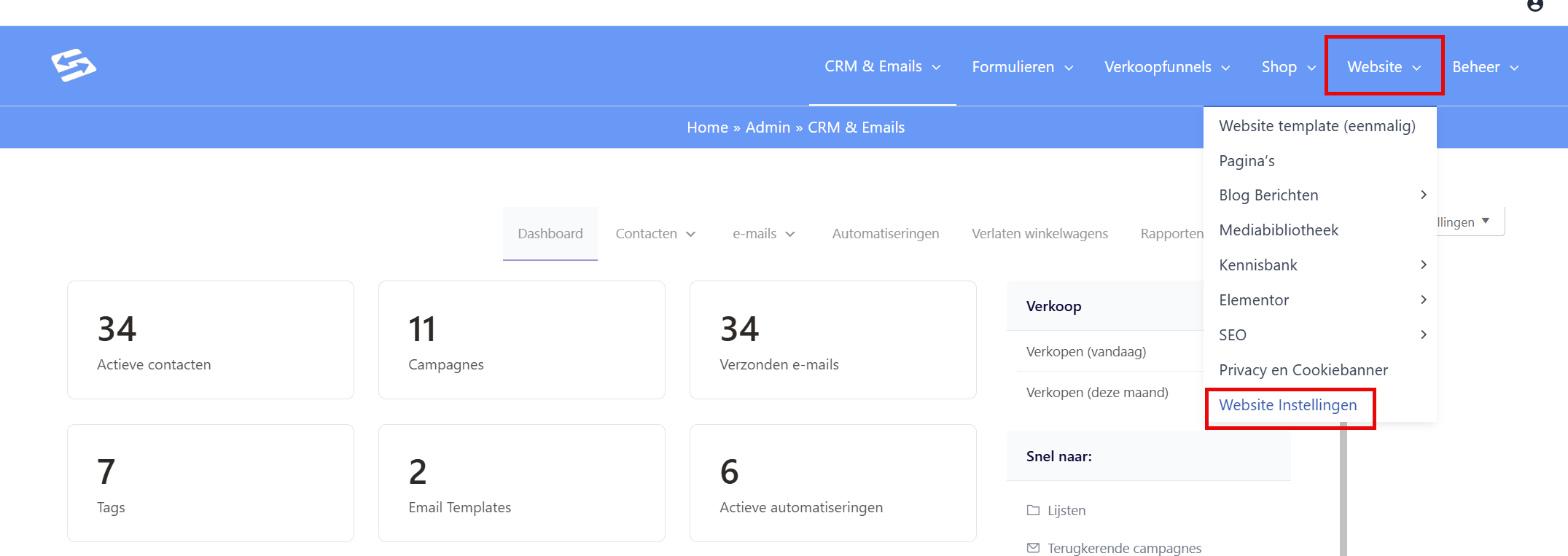
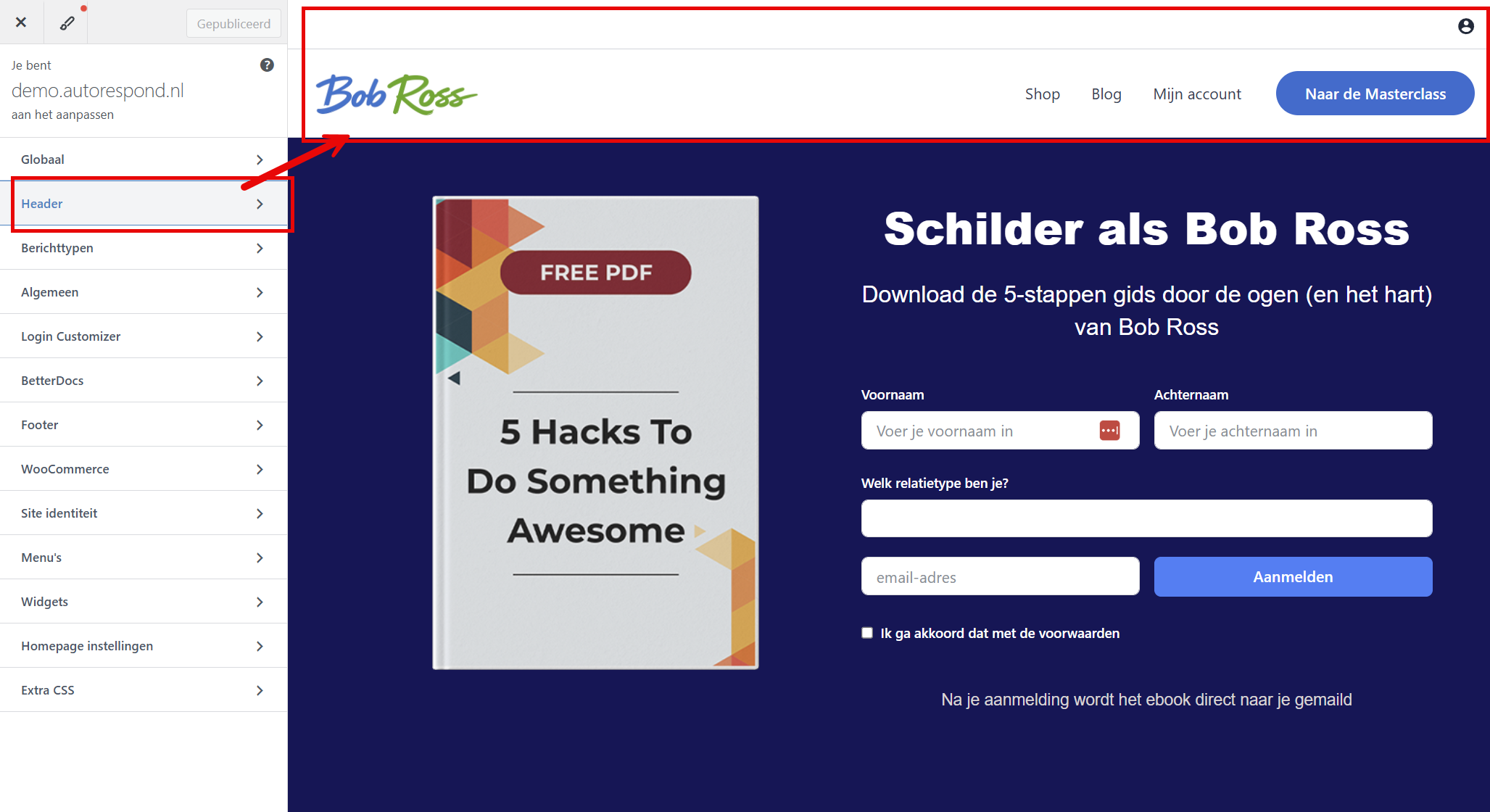
Once you have the Customizer open, you can also hover over the logo with your mouse and click the edit button to go straight to the logo settings:
Difference between the logo and the site icon #
Mind the difference between these two settings:
- Logo (through Header → Site title & logo): this is the large logo that is shown in the header of your website
- Site icon (through the Site identity panel): this is the small icon that is shown in browser tabs and bookmarks
Tips for your logo #
- Preferably use a PNG file with a transparent background
- SVG files work excellently too and scale perfectly on all screen sizes
- Make sure your logo stays easy to read on different background colours
- Upload a retina version (twice as large) for high-resolution screens
Frequently asked questions #
Which file format is best for my logo? #
PNG with a transparent background works best for most logos. SVG is ideal if your logo consists of shapes and text, because it scales perfectly on all screen sizes without any loss of quality.
Why do I not see my new logo in browser tabs? #
The logo in the header is different from the site icon that appears in browser tabs. For the site icon, go to Website → Website Settings → Site identity panel and set the Site icon there.
How large should my logo be? #
The exact size depends on your theme settings, but a width of 200 to 400 pixels usually works well. Also upload a retina version that is twice as large for high-resolution screens.


