In this step you log in for the first time and get to know the menu. It helps to know straight away what is where.
Logging in #
The address of your admin environment and your username are in the email with your login details. Bookmark the address. During the trial it is a temporary address; after going live you log in on your own domain.
The main menu #

- CRM & Emails: your contacts, lists and tags, campaigns, email sequences, automations and the CRM settings.
- Forms: your sign-up and contact forms and the entries.
- Sales funnels: sales pages with their own checkout, upsells and thank-you pages (Shop module).
- Shop: products, orders, invoices, subscriptions and coupons (Shop module).
- Website: your pages, blog and the design of your site (Website module).
- Administration: users, security, project boards, the other modules, integrations, your AI integration, mail settings and your usage.
Cannot see a menu? Then it belongs to a module that is not in your plan (yet). In your trial environment all modules are switched on.
Your account and security #
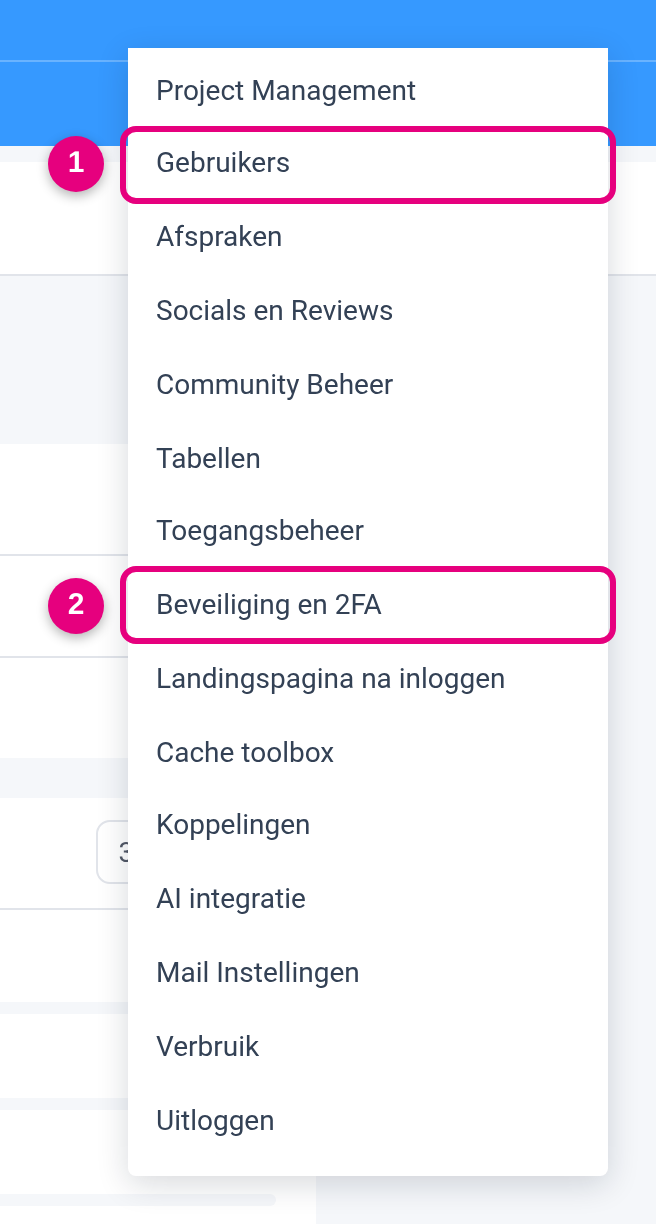
- Users: change your own details and password here, and later give your team access (step 10).
- Security and 2FA: this is where you switch on two-factor authentication after going live.
Do not switch on two-factor authentication during your trial. 2FA in Autorespond works with a login code that you receive by email. Sending email is switched off in your trial environment, so the code never arrives and you lock yourself out. Switch 2FA on straight after going live; that is part of step 11, and we send you an email about it when you go live. Until then, use a strong, unique password.
Done when #
- You can log in to your admin environment and the address is bookmarked.
- You know where Users and Security and 2FA are (2FA itself you switch on after going live).


