Change the sender name for marketing emails #
If you send marketing emails through campaigns, automations or email sequences in Autorespond, you can change the sender name in the mail settings. This is the name recipients see as the sender of your emails.
Change the sender name #
- Go to Admin → Mail Settings and open the ‘Settings’ tab
- Here you see your active SMTP connection(s). Click the pencil icon next to a connection to open its settings
- In the edit screen you will find the ‘From name’ field
- Change the current name into the sender name you want, for example from “Company-name” to “Company name”, or from “Jan Jansen” to “Jan Jansen – Marketing Expert”
- Click ‘Save Connection Settings’ at the bottom to apply the change
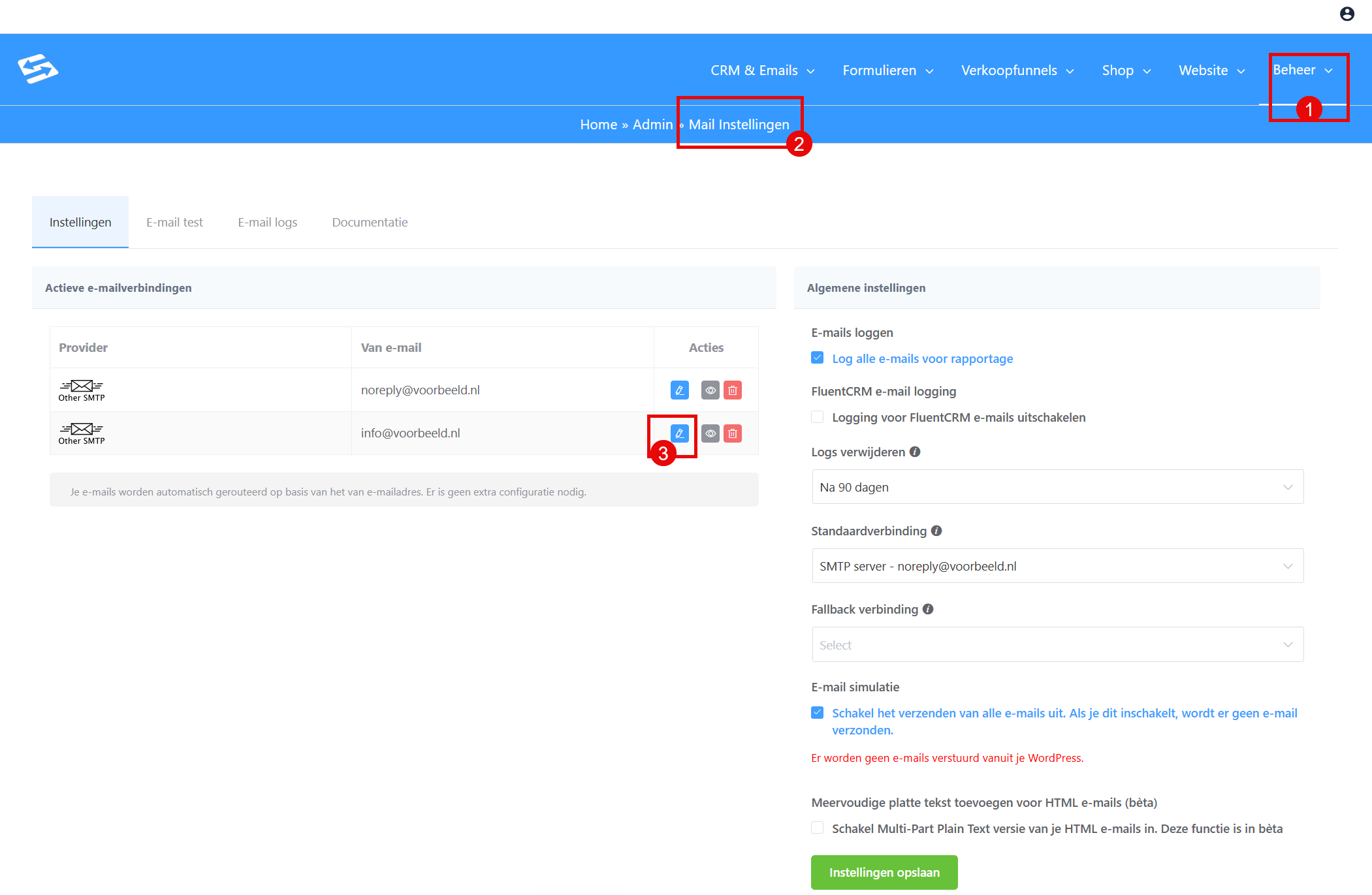
Important: only change the marketing email address you use to send newsletters and follow-up emails through the CRM, never change the noreply@ address. That one has to stay as it is.
Please note: After changing the marketing sender address, you also have to set it correctly in the default CRM settings via the menu CRM & Emails > CRM Settings, tab Global email settings
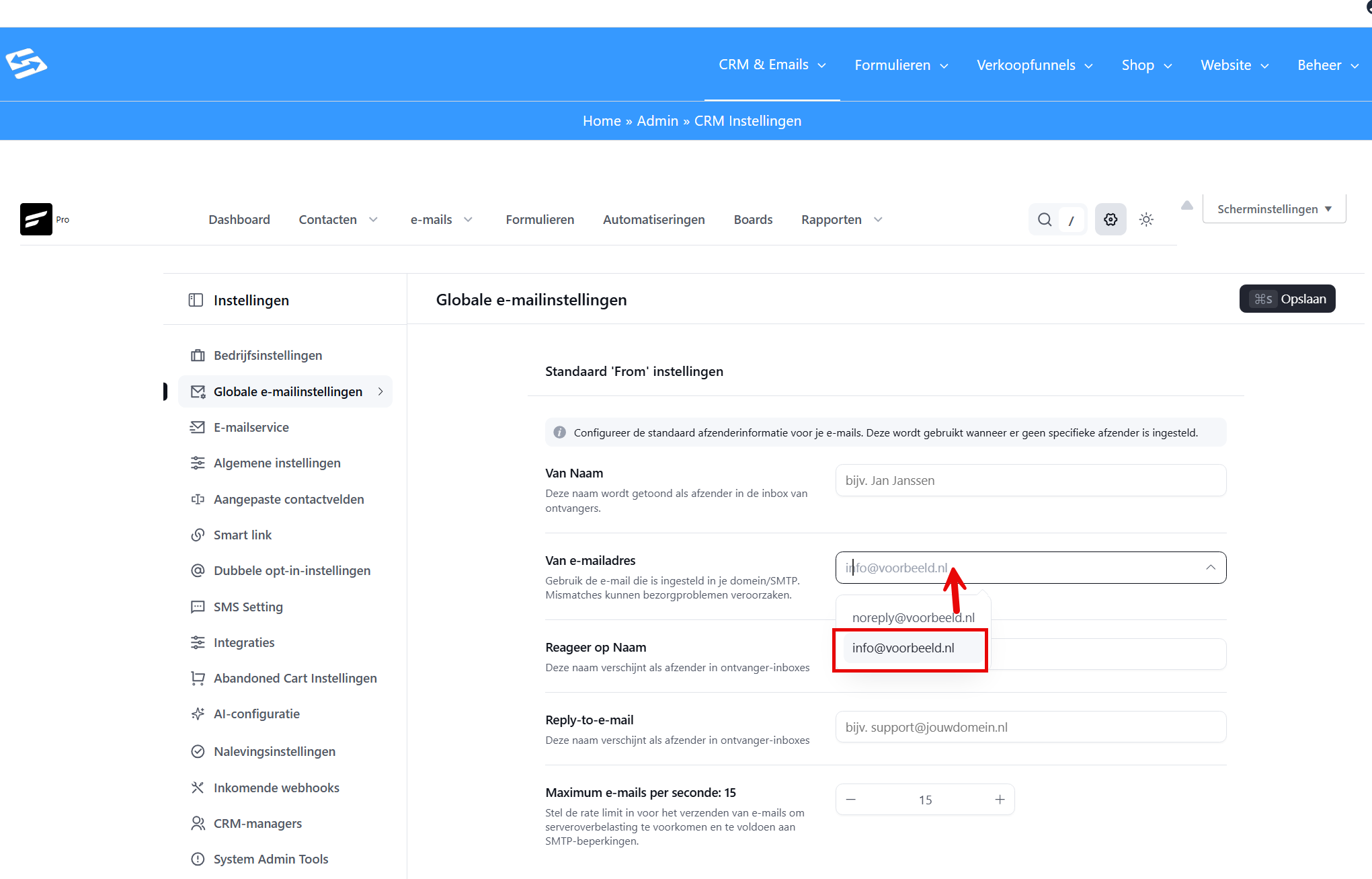
When the new name is used #
The new sender name applies to all new emails you send through:
- CRM campaigns
- Automations
- Email sequences
Emails that are already in the sending queue keep the old sender name. If you have scheduled a campaign that has not been sent yet, open it and set the new sender address in the second step.
Email delivery in Autorespond is based on FluentSMTP, included in your package. Read the FluentSMTP documentation
Frequently asked questions #
Why is the sender name not under CRM Settings? #
The sender name for marketing emails is set through the SMTP connection in Admin → Mail Settings → tab Connections. CRM Settings holds other options, for contact management and automations.
Does the new sender name also apply to form notifications? #
No, form notifications use a different sender (usually [email protected]). This change applies only to marketing emails sent through the CRM, such as campaigns and automations.
How long does it take before the new sender name is active? #
The change takes effect immediately for new emails. Emails that are already scheduled keep the old name, but new campaigns and automations use the new sender name straight away.


