A grouped product is a collection page in your shop: one product page listing several separately orderable products, where the customer chooses per item what and how much to order. Useful for presenting a family of products clearly, but not intended to sell products together as a required bundle. If you want customers to buy several products (a main product plus subscriptions, for example) in a single order, use an individual sales funnel; that is described in Selling several products together in one required order (with a sales funnel).
The shop in Autorespond is based on WooCommerce, included in your package. Read the WooCommerce documentation
This is what a grouped product looks like to your customer #
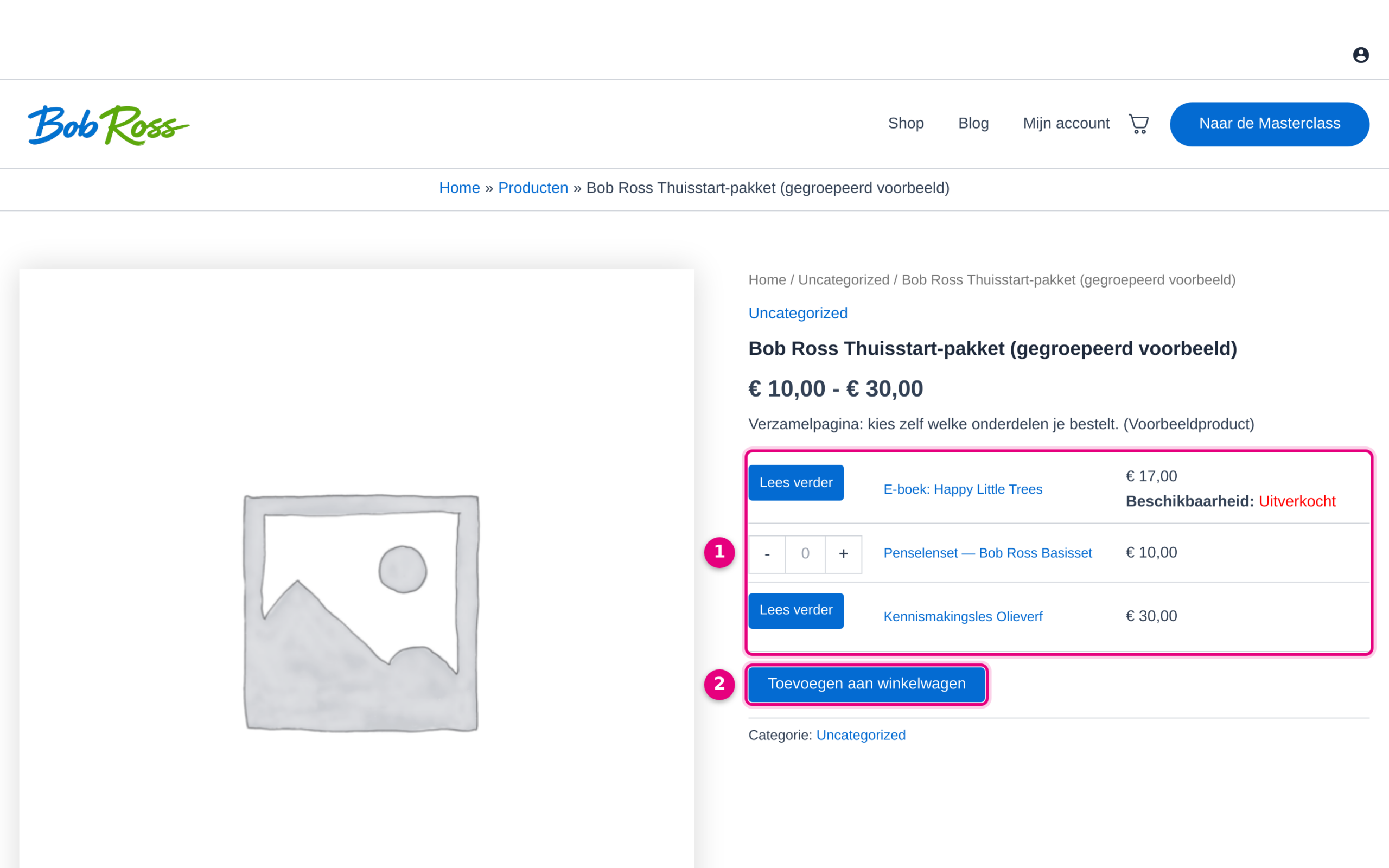
- The sub-products are listed one below the other, each with its own price; at the top you see the price range of all items together (here €10.00 – €30.00), because a grouped product has no price of its own. A product that can be ordered directly has a quantity field where the customer chooses how many they want. Sub-products that cannot be ordered directly, for example because they are sold out or because they are a lesson or service with a booking page of their own, show a Read more button linking to their own product page.
- There is a single Add to basket button, but it only adds the items for which the customer has set the quantity to 1 or higher. Nothing is compulsory: the customer can order one item, everything, or nothing. So there is no direct payment button for the package as a whole either.
Creating a grouped product #
- Go to Shop → Products and click New product.
- Under Product data, choose the type Grouped product.
- Open the Linked products tab and, at Grouped products, enter the sub-products that should appear on the collection page. The sub-products themselves have to be published products that can be sold separately.
- Publish the grouped product. This is an important step: as long as the product is saved as a draft, the product page does not exist yet and the link to it returns a 404 page (you will see this if you click Read more or View products from a product listing, for example).
When should you use a grouped product (and when not)? #
Suitable for:
- Presenting a family of separately orderable products clearly on one page, for example three separate training courses or different material sets, where the customer chooses which items to order.
- A simple collection page without having to build a funnel or a separate landing page.
Not suitable for:
- Selling products together as a required bundle: sub-products are always optional and the customer can order zero of them.
- Checking out a combination with subscriptions in one click, with a single total and a single payment button. Use an individual sales funnel for that.


