Hiding products in your webshop #
You can hide products in your Autorespond webshop without deleting them. This is useful if you want to take products out of sale temporarily, or make them available only through a direct link.
The webshop in Autorespond is based on WooCommerce, included in your package.
Hiding a single product #
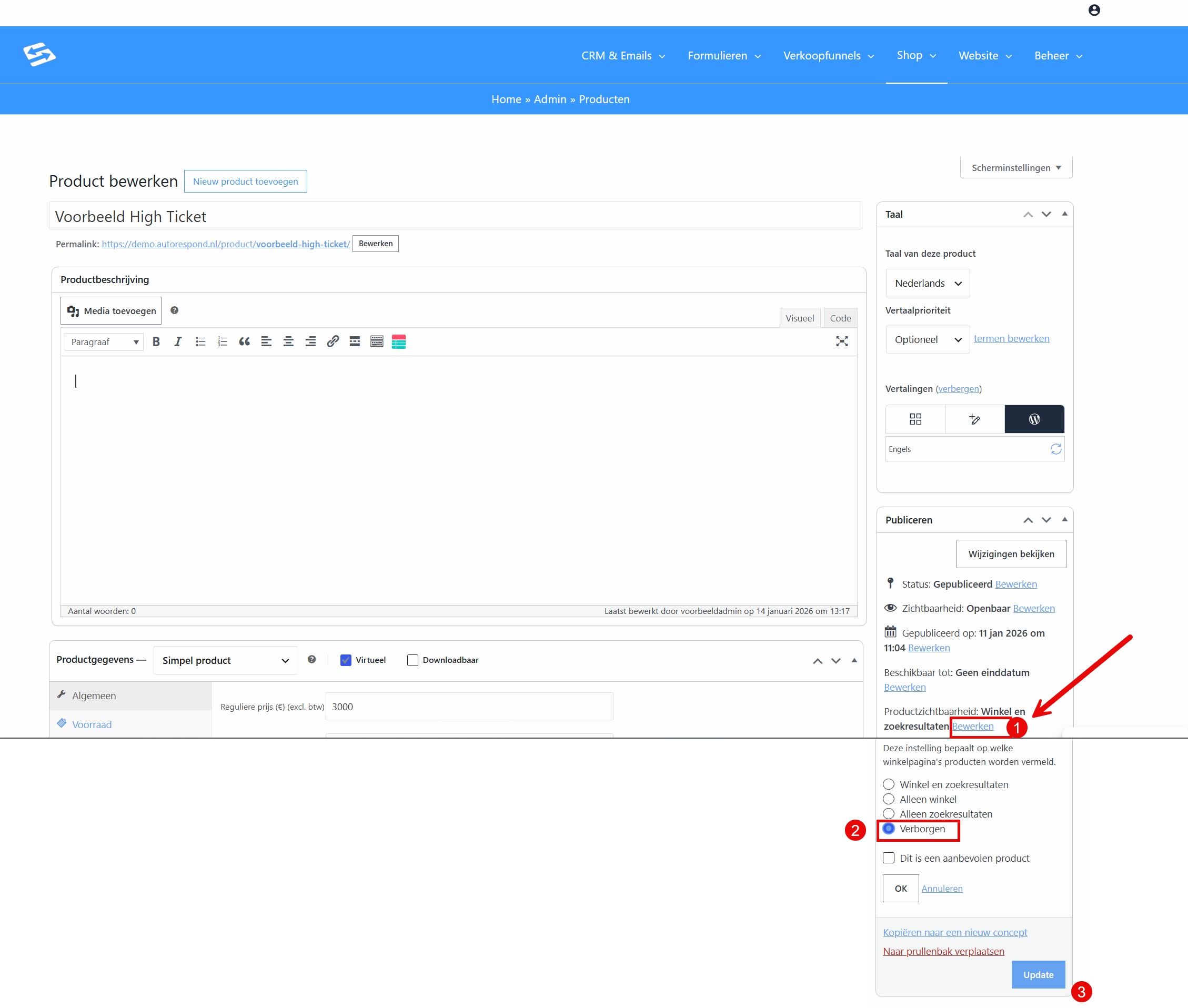
Go to Shop → Products and open the product you want to hide. At the top right of the editing screen you will see the publishing settings with two options:
Option 1: change the status to draft #
Change the status from ‘Published’ to ‘Draft’. The product is then hidden completely and can no longer be ordered through the webshop.
Option 2: change the visibility #
Click ‘Edit’ next to ‘Visibility’ and select ‘Hidden’. The product continues to exist but is not visible in the product listings. Customers can still order the product if they have the direct link.
Hiding several products at once #
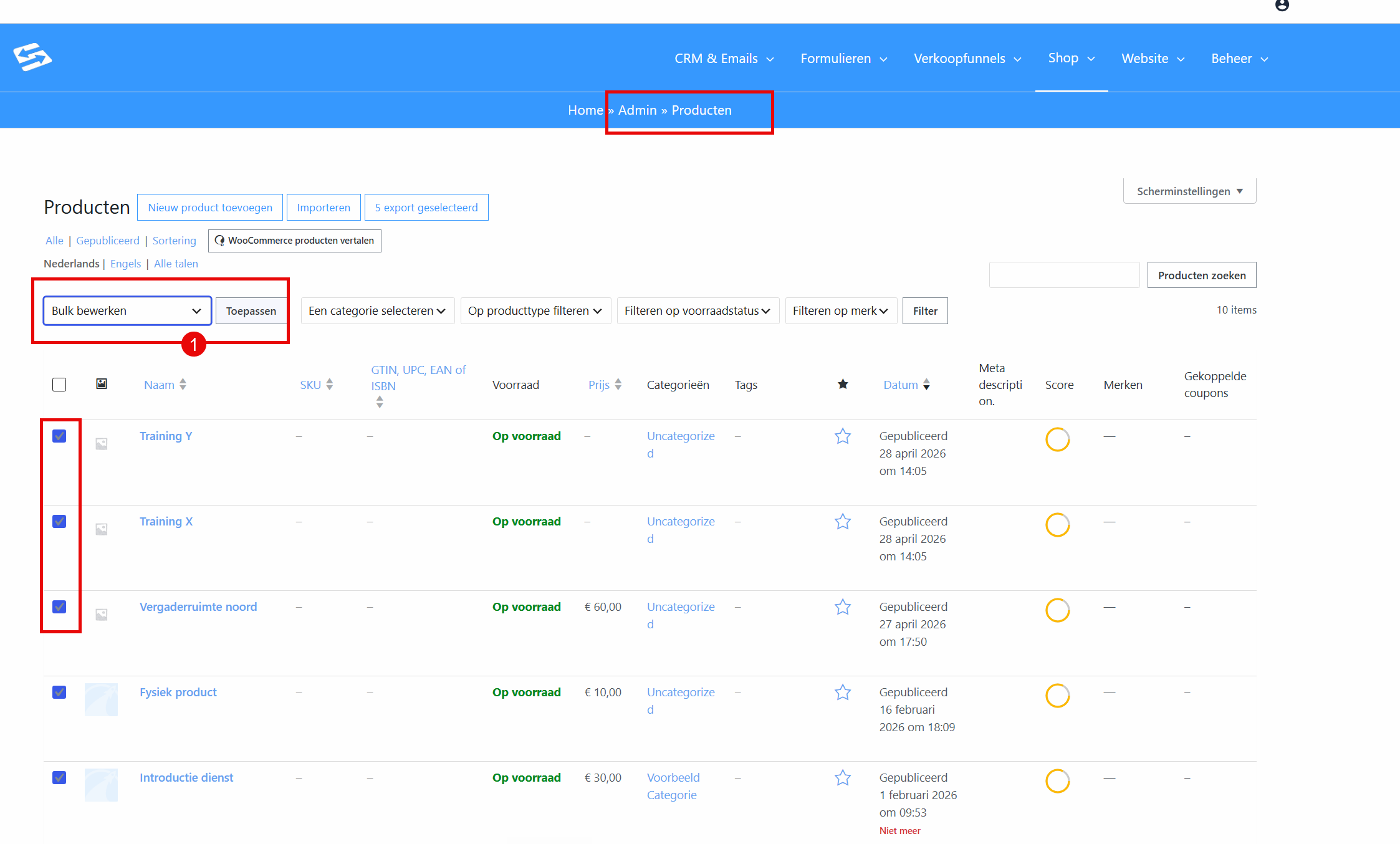
To hide several products in one go:
- Go to Shop → Products
- Select the products using the checkboxes to the left of the product names
- Choose ‘Bulk actions’ in the dropdown menu above the product list
- Select ‘Edit’ and click ‘Apply’
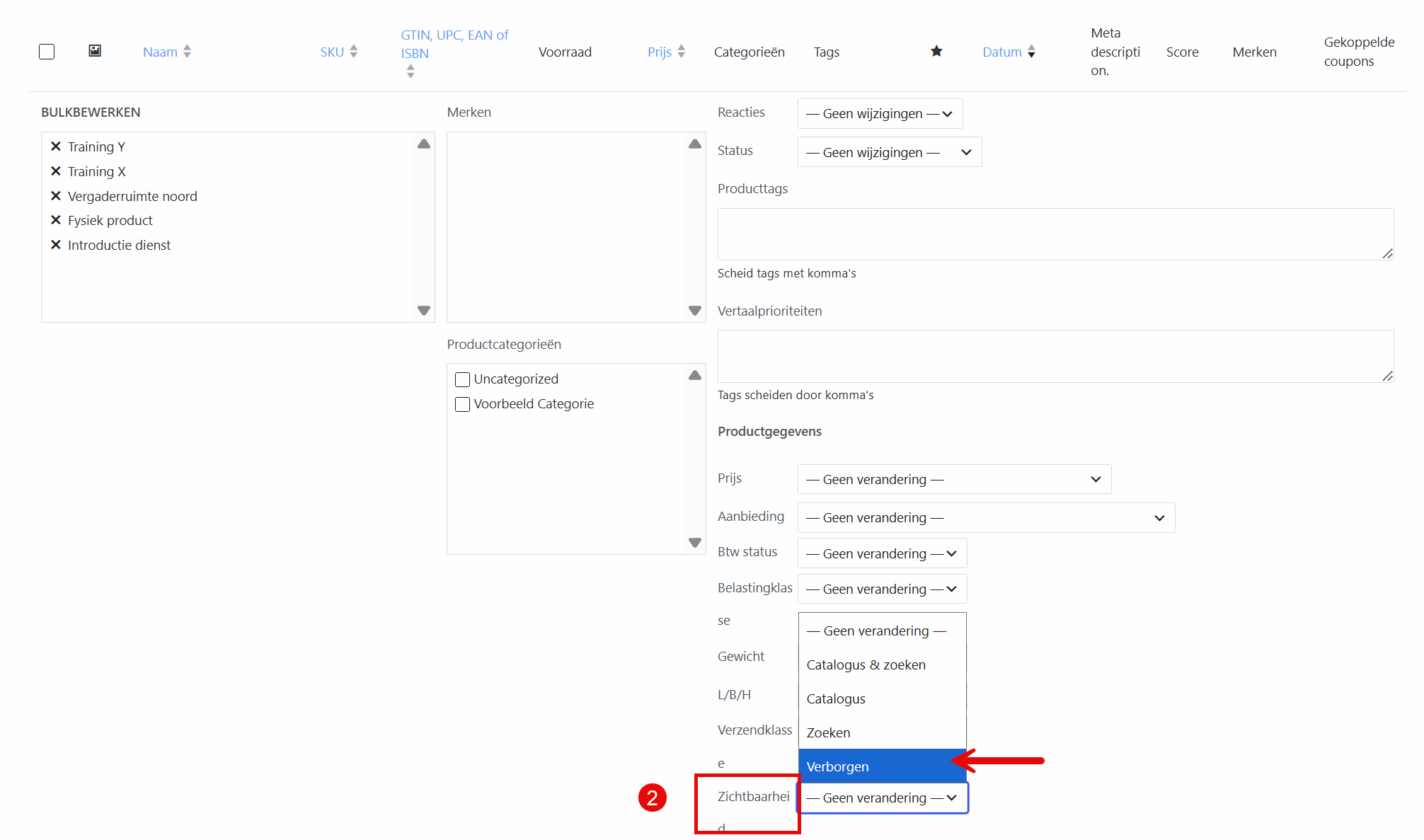
- Change the status or visibility for all selected products at once
The difference between draft and hidden #
Draft: the product is switched off completely. Even direct links no longer work, and existing baskets containing this product cannot be checked out.
Hidden: the product stays active but is not visible in the shop listings. Direct links and existing baskets keep working.
Frequently asked questions #
Can I take a product out of sale temporarily? #
Yes, set the product to ‘Draft’ to hide it completely, or to ‘Hidden’ to keep it reachable through direct links only.
Do direct product links keep working if I hide a product? #
With ‘Hidden’ they do, with ‘Draft’ they do not. Hidden products are simply not visible in the shop listings, but remain otherwise accessible.
Can I hide several products at once? #
Yes, use the bulk actions on the products page. Select several products and change the status or visibility through ‘Bulk actions’ → ‘Edit’.


