Setting up scheduled sales for products: available until a certain date #
In Autorespond you can set a start date and an end date for the sale of a product. The product can optionally stay visible on your website, but customers can no longer order it after the end date you set.
Scheduled sales in Autorespond are based on WooCommerce, included in your Shop & Sales Funnels extension.
When to use scheduled sales #
Scheduled sales are useful for:
- Webinars with a fixed date: sales stop automatically after the webinar
- Early bird offers: stopping automatically on a certain date
- Seasonal products: available up to a certain period
- Temporary promotions and discounts
How to set up scheduled sales #
- Go to Shop → Products
- Open the product you want to limit
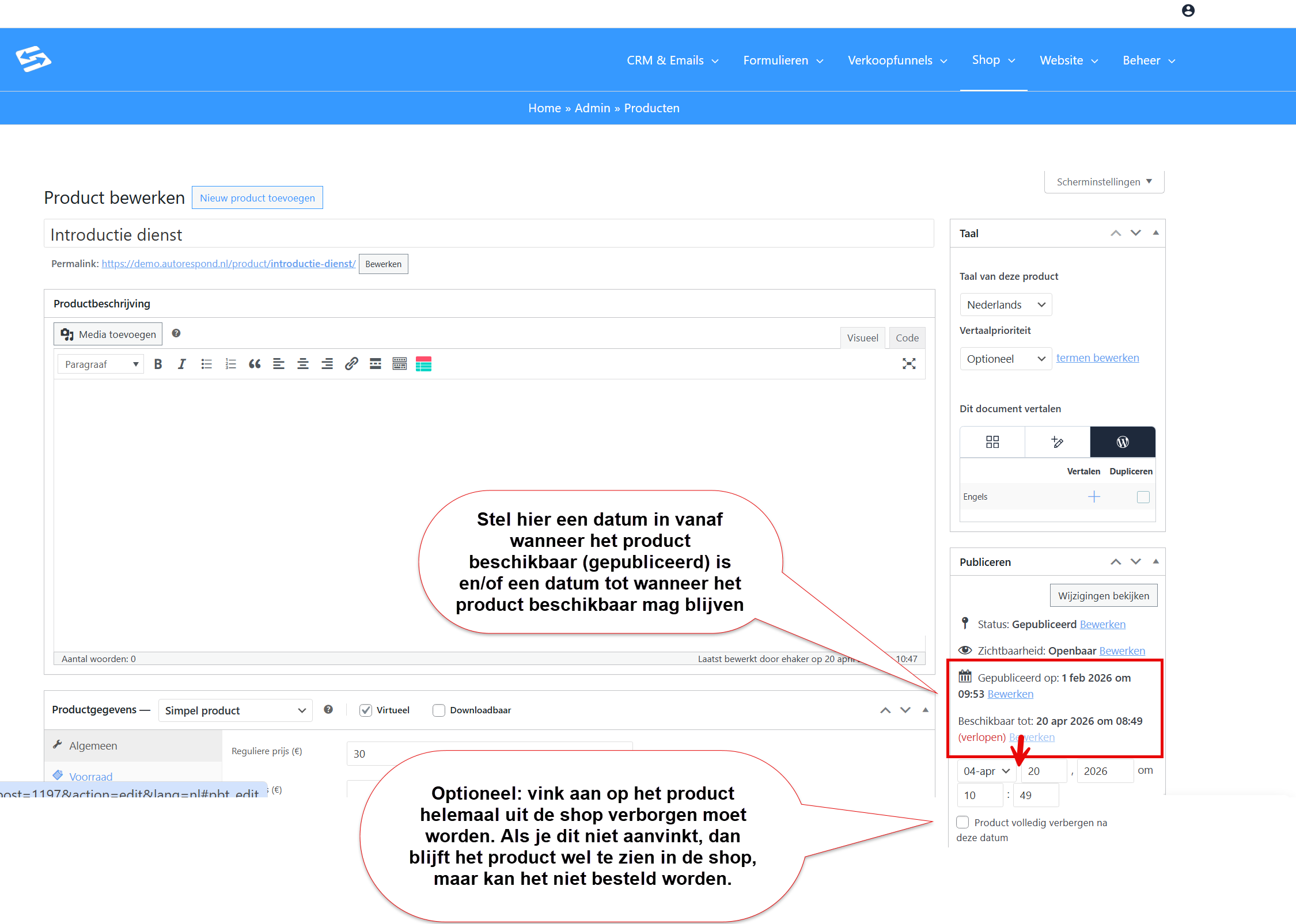
- In the right-hand sidebar, in the ‘Publish’ section, you can adjust the ‘available until’ date
- Enter the dates you want:
- Published date/time: from when the product should be visible in the shop (optional)
- Available Until date/time: until when the product is available
- Optional: tick the box to hide the product completely after this date
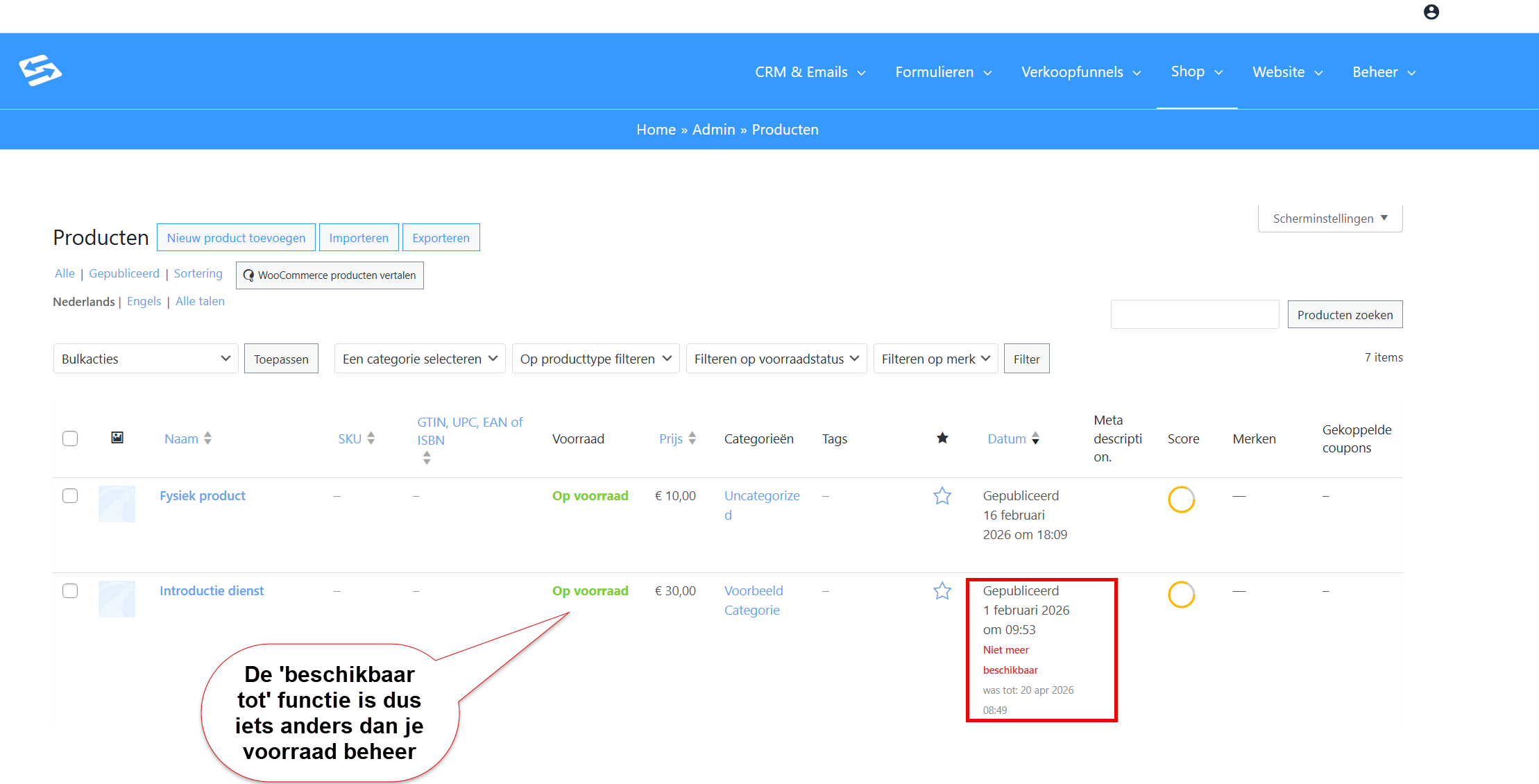
Once you have set this, you also see it in the product overview:
How it works for customers #
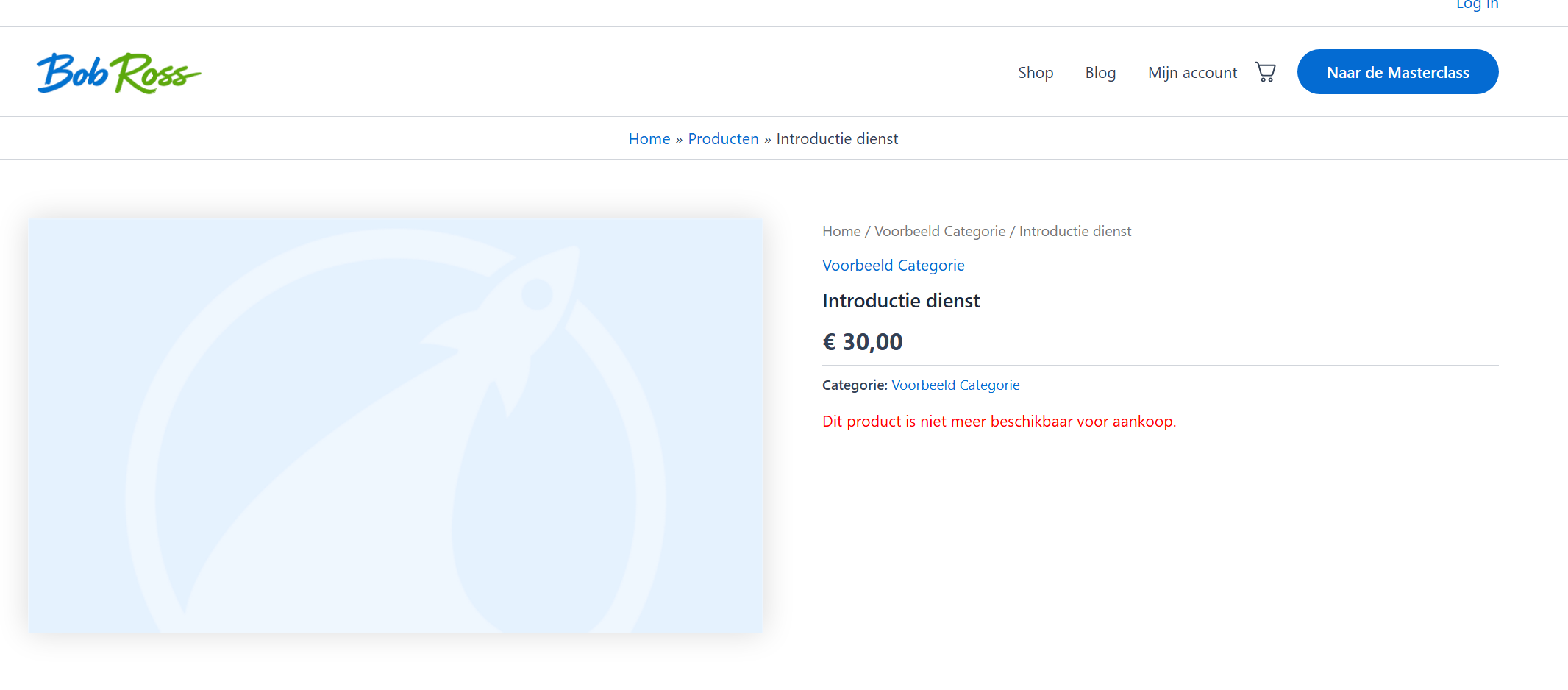
After the end date you set, the following happens:
- The product stays visible on your website (if you have not unticked the box)
- The “Add to cart” button disappears
- The text “This product is currently unavailable” appears
- Customers can no longer order the product
Scheduled sales versus stock management #
Scheduled sales work differently from stock management:
| Scheduled sales | Stock management |
|---|---|
| Based on date and time | Based on the number of items |
| Product stays visible | Product is shown as sold out |
| Automatically at a certain moment | When stock has run out |
You can combine both functions. A product then stops selling as soon as the stock runs out OR the end date is reached, whichever comes first.
Tips for webinars and events #
For a webinar on Wednesday you set the end date to Wednesday 23:59. Sales then stop automatically at midnight and you do not have to think about it any more.
For early bird prices you can create two products: an early bird version (available until a certain date) and the regular version (available from that same date).
Frequently asked questions #
Can I set only an end date without a start date? #
Yes, you can fill in only the “Until date/time” field. The product is then available straight away and stops selling on the end date you set.
What do customers see once sales have stopped? #
The product stays visible on your website but the “Add to cart” button disappears and it says “This product is currently unavailable”.
Can I combine scheduled sales with stock management? #
Yes, both functions work together. The product stops selling as soon as the stock runs out or the end date is reached.


