Sending an email to an individual contact #
If you want to send a one-off email to one specific contact, there are several ways to do it. The quickest is through the contact profile itself.
Through the contact profile (recommended) #
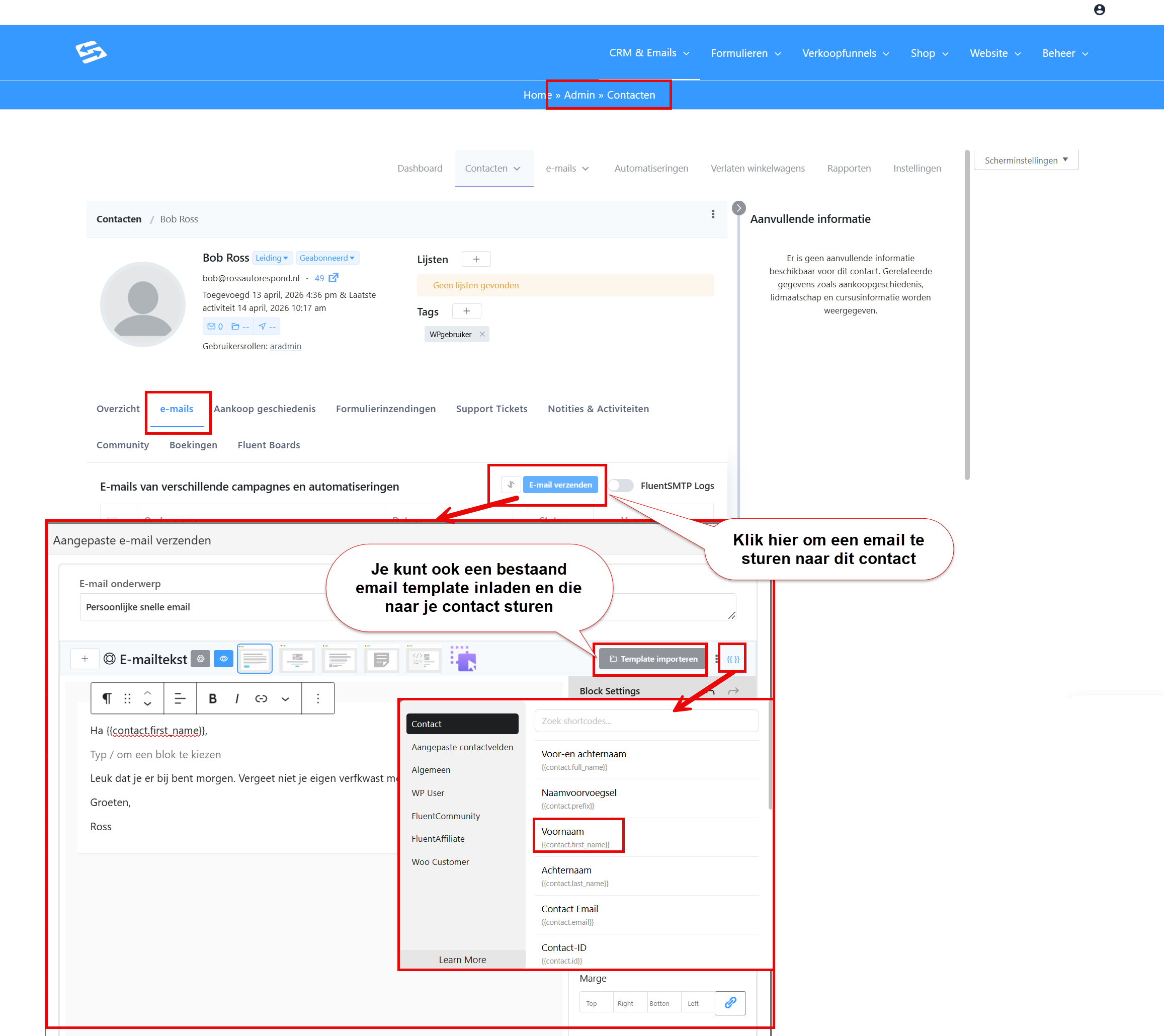
Go to CRM & Emails → Contacts and look up the contact you want to email. Open the contact profile by clicking the name.
Click the ‘Emails’ tab in the contact profile. You now see an overview of every email sent to this contact, plus a ‘Send email’ button at the top.
Click ‘Send email’. An email editor opens where you can type straight away, or you can load an existing email template with the ‘Import template’ button.
Fill in the subject and the email content, then click ‘Send now’ to send the email to this contact immediately.
Through a campaign to a single contact #
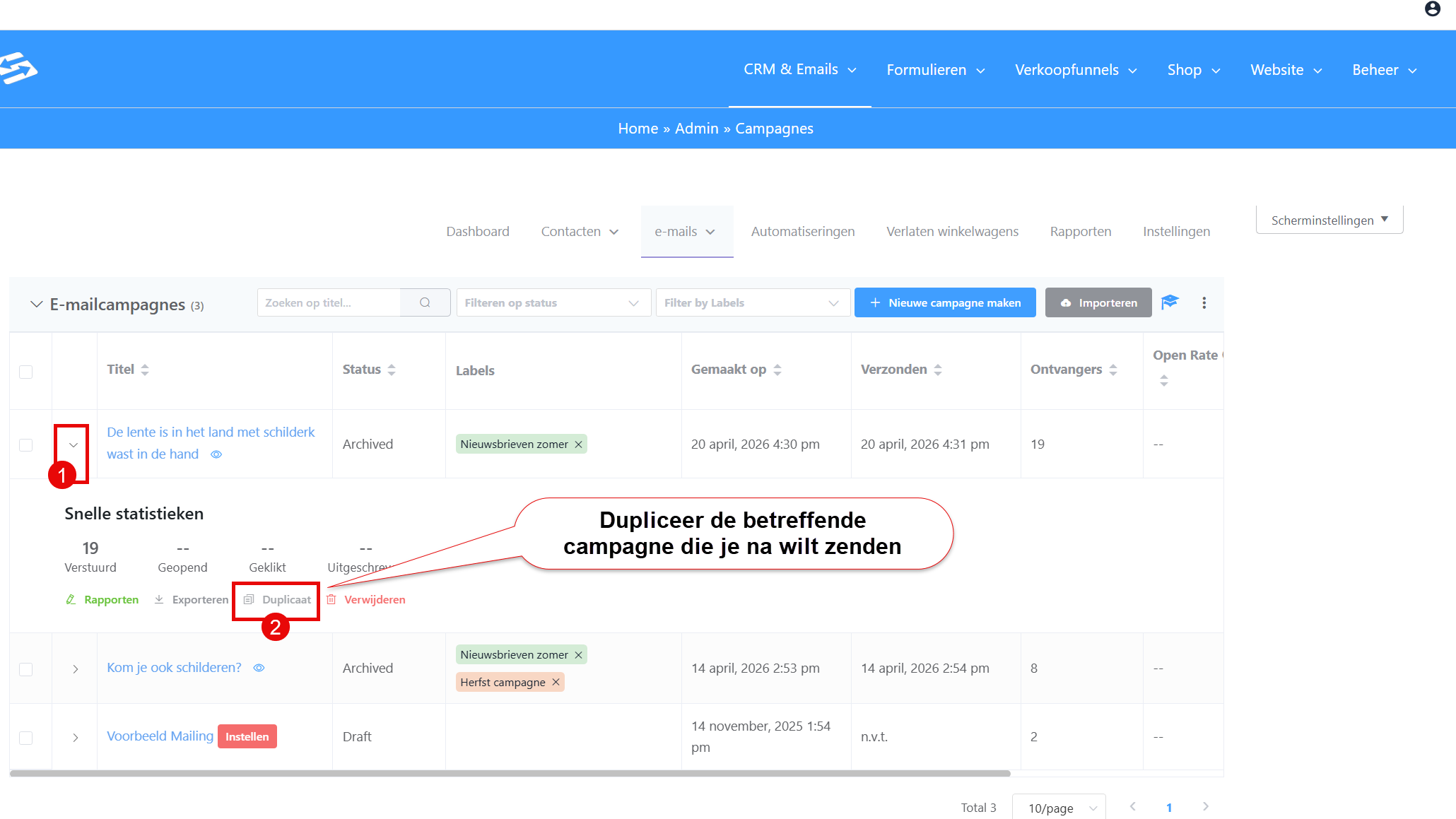
If you prefer to work through the campaign function, go to CRM & Emails → Campaigns → Add new campaign, or, if you want to resend a campaign to one specific contact, duplicate that campaign:
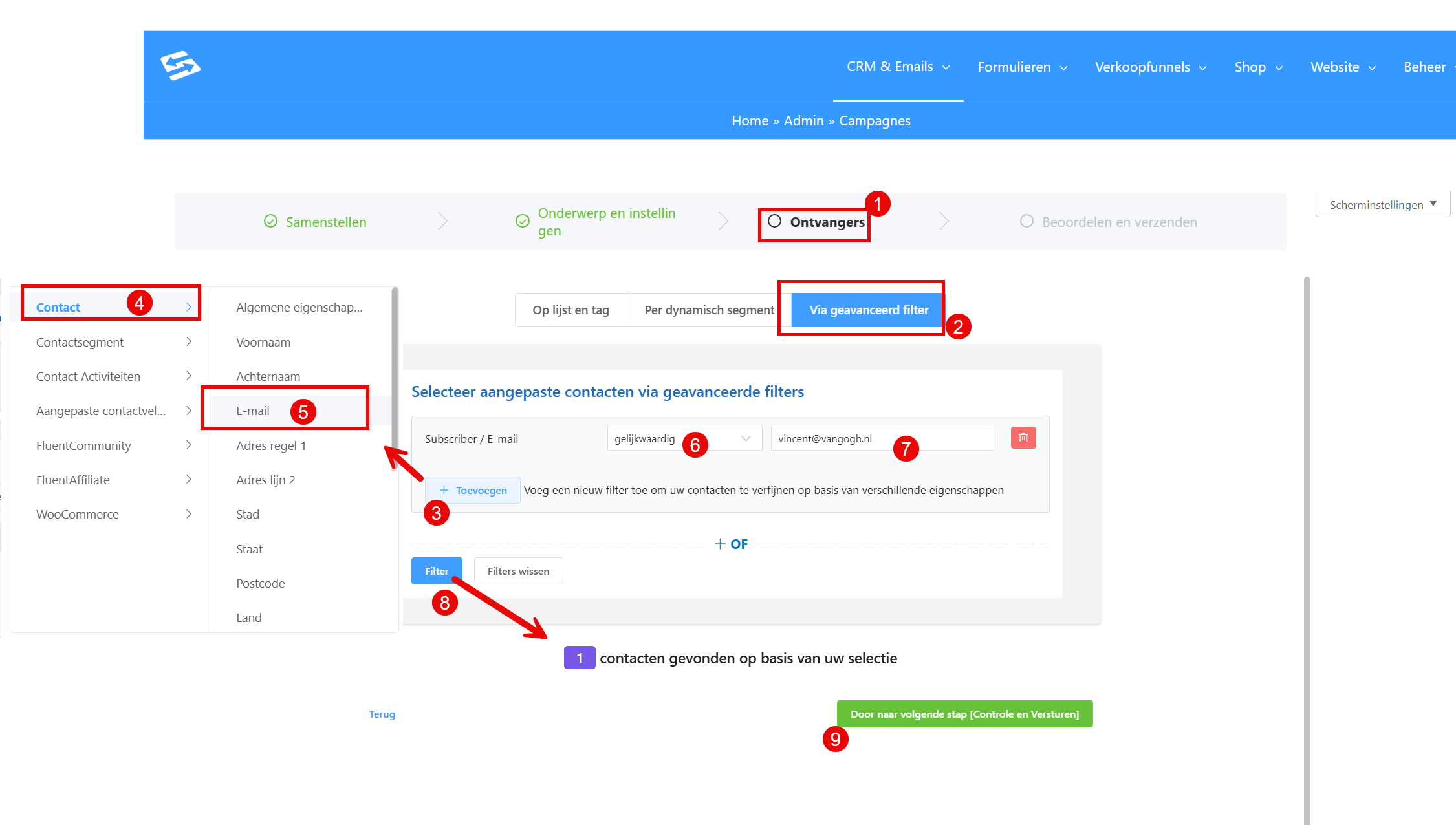
When you select the audience, click ‘Advanced filter’ and filter on the specific contact (by email address or name, for example). That way the campaign goes to just one person:
Emailing several specific contacts at once #
If you want to send an email to several specific contacts, but not to a whole list, you can use the advanced filter to select exactly those contacts. See: sending a campaign to specific contacts with the advanced filter.
Frequently asked questions #
Can I use a template when sending to an individual contact? #
Yes. In the contact profile, under ‘Send email’, you can select an existing template from the ‘Select template’ dropdown. The template is loaded and you can still adjust it before sending.
Is an individual email logged in the email history as well? #
Yes. Every email you send from the contact profile is recorded automatically in the ‘Emails’ tab of that contact, so you can always look back at what you sent.
What is the difference between an individual email and a campaign? #
An individual email from the contact profile is quicker for one-off messages to one person. A campaign offers more options for tracking and A/B testing, and is more practical when you want to reach several contacts at once.


