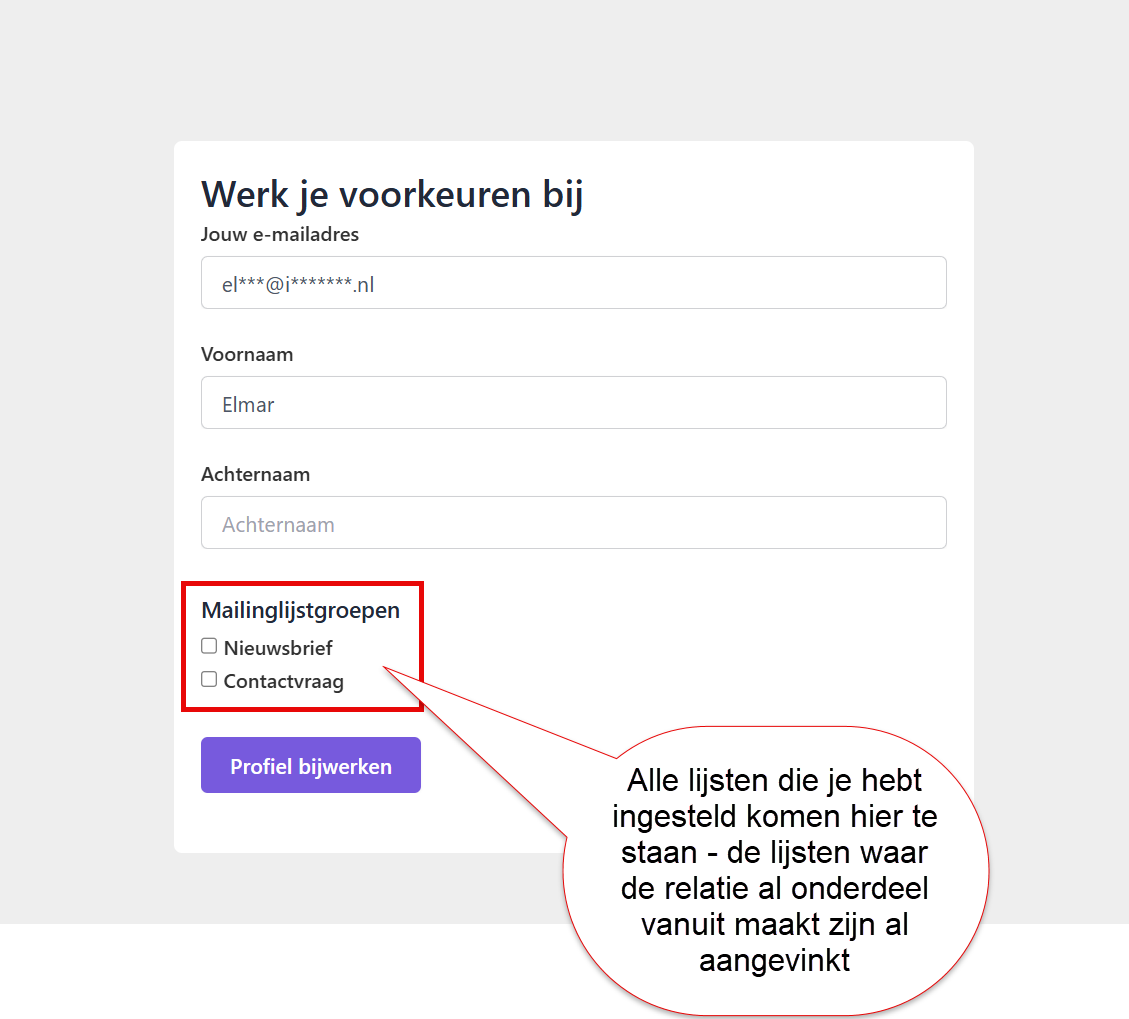
You can let contacts choose for themselves which specific lists they want to subscribe to. This is useful if you regularly email about different subjects. Contacts can then tick the topics they want to receive.
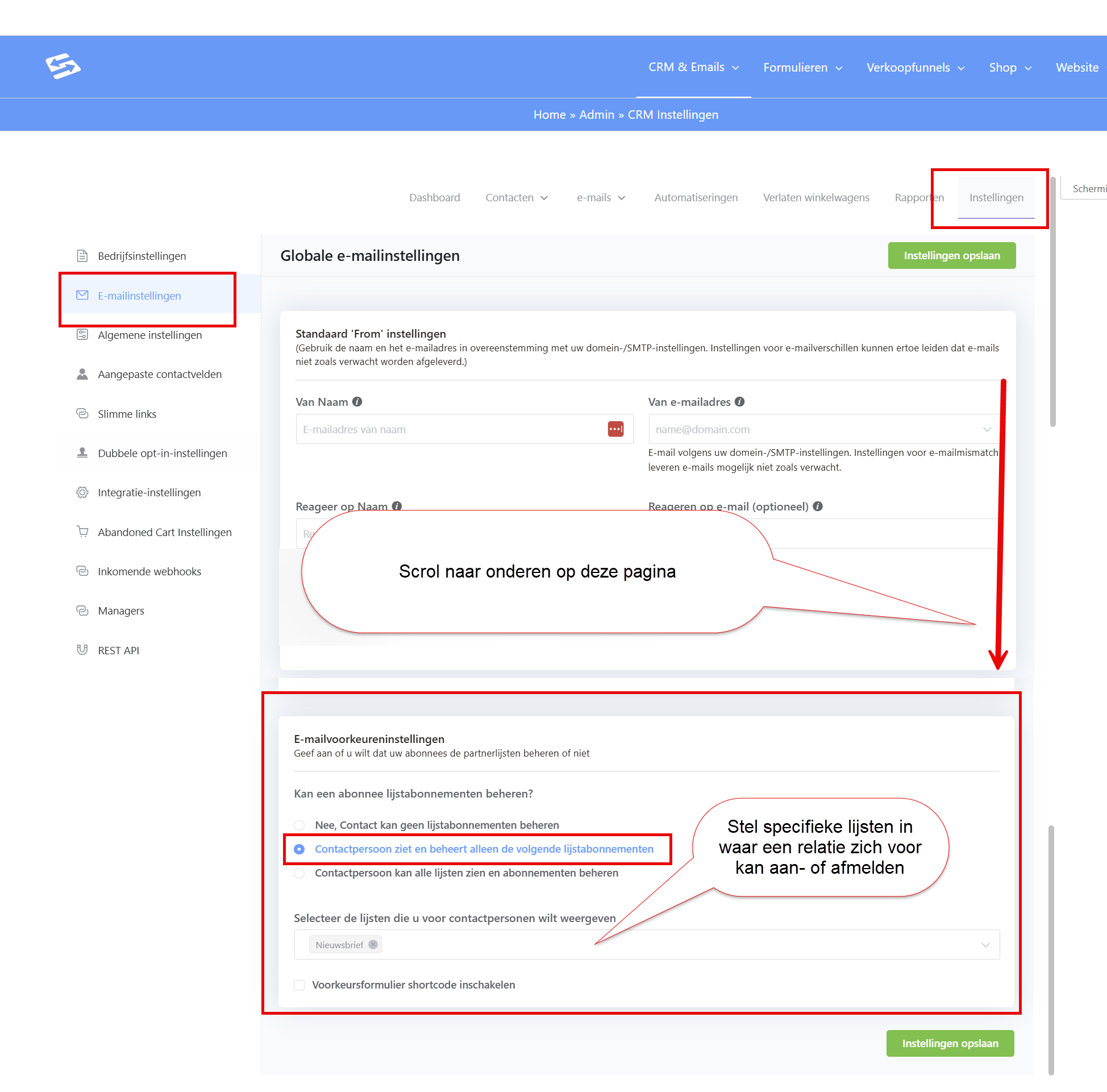
If you want contacts to choose which lists they are subscribed to, you can set this up under CRM > Settings, tab Email settings, at the bottom of the page. There you set the email preference options the contact sees when you place the link to that page in your email:
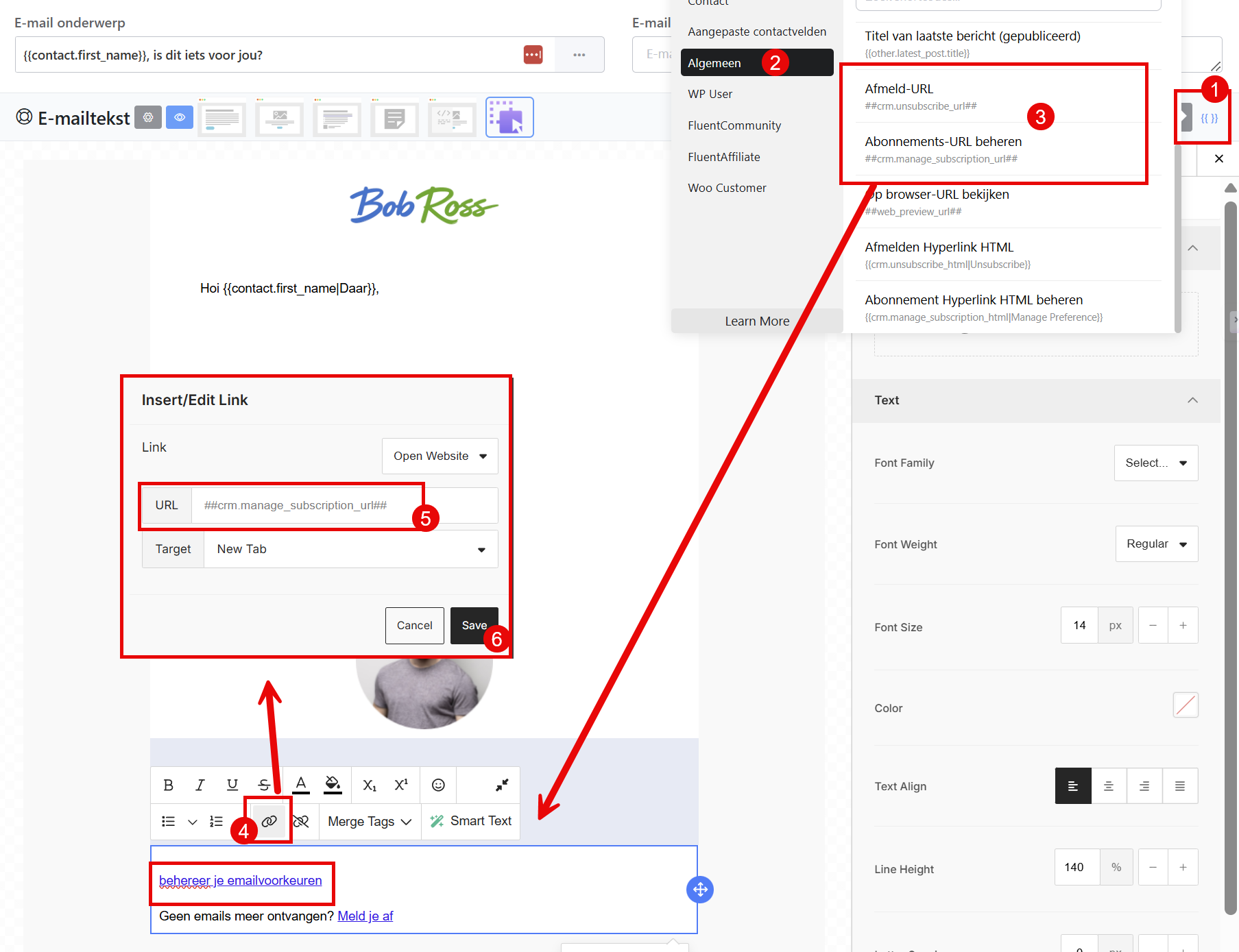
You place that link in your email with a merge tag. When contacts click it, they see the lists they can subscribe to:
This is what the screen looks like for your contacts: