In your Autorespond environment you pay on the basis of what you actually use. The usage overview shows, per calendar month, how many emails you have sent, how many orders have been placed and how many contacts, products and users your environment holds. These figures form the basis for your monthly invoice. By checking in regularly you know exactly what your invoice is based on, so there are no surprises.
The usage overview is a built-in feature of your Autorespond environment.
Opening the usage overview #
You open the overview in a few clicks:
- Log in to your administration.
- Move your mouse over Administration at the top right of the menu, so that the drop-down menu opens.
- In the drop-down menu, click Usage.
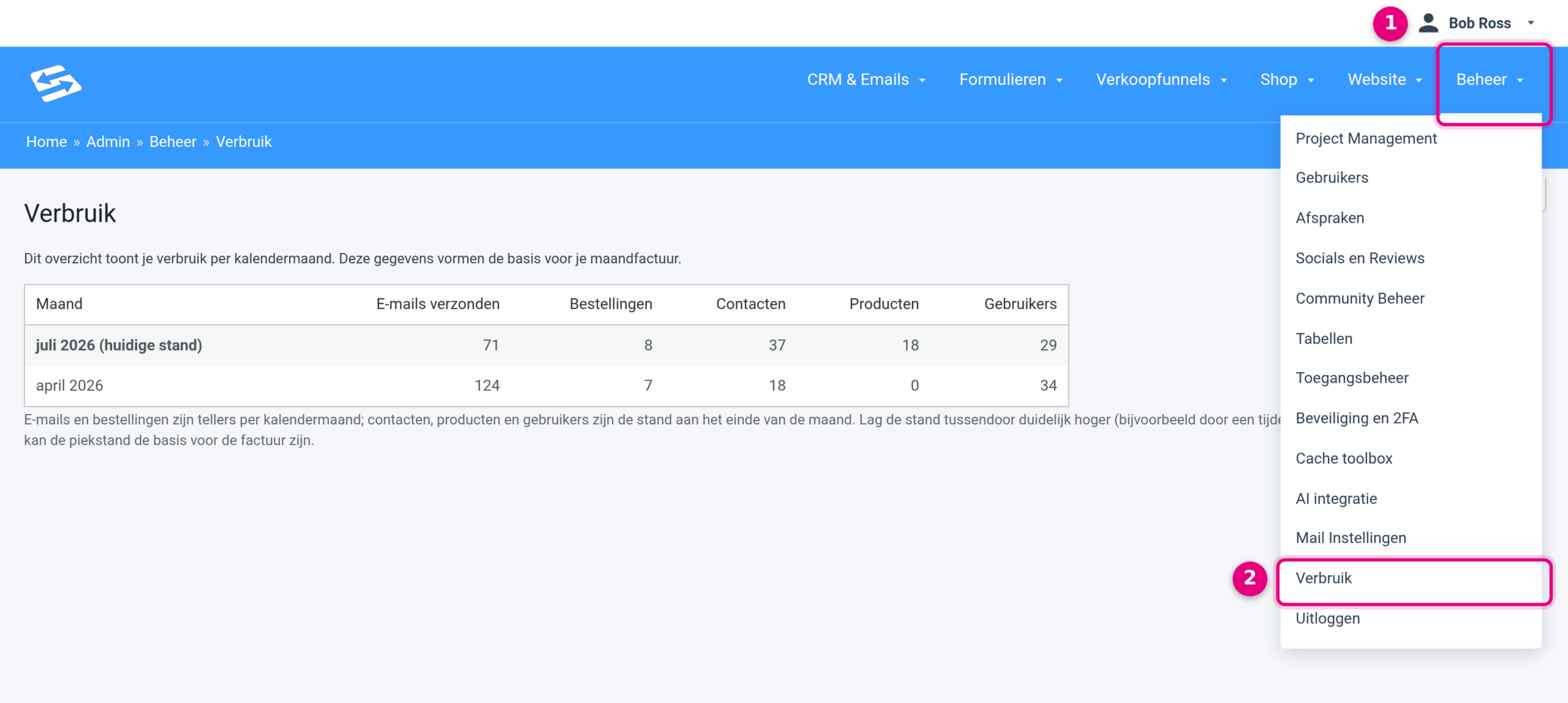
Notes on the screenshot:
- Administration: the menu item at the top right of your administration. Move your mouse over it to open the drop-down menu. This is also where you find other administration items, such as Users, Mail Settings and Security and 2FA.
- Usage: click this menu item to open the usage overview.
What you see on the usage overview #
The overview consists of a single table with one calendar month per row. Above the table there is a short introduction, and below it an explanation of how the figures are put together.
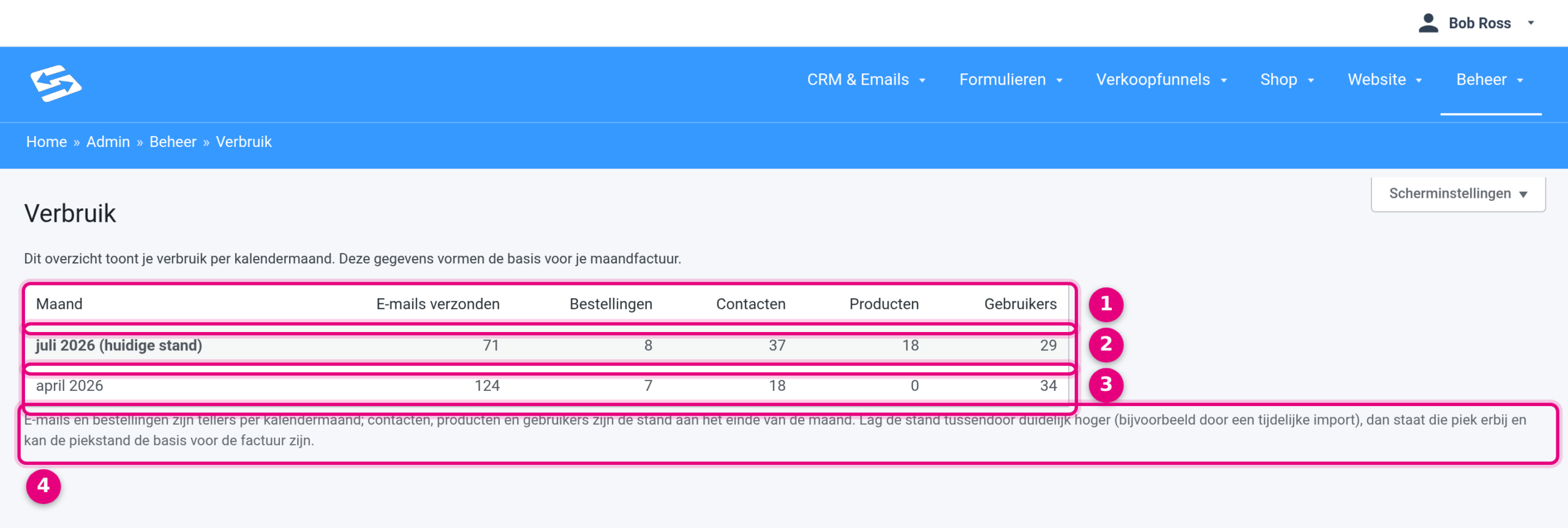
Notes on the screenshot:
- The table header: next to the Month column you see five figures per month. Emails sent is the number of emails sent from your environment that month. Orders is the number of orders placed in your shop that month. Contacts is the number of contacts in your CRM. Products is the number of products in your shop. Users is the number of user accounts in your environment.
- The current month: the top row, in bold, with the addition “(current position)”. This month is still running, so these figures can change daily until the month is over.
- A completed month: for each completed calendar month you see the final figures here. These figures form the basis for your monthly invoice.
- The explanation below the table: emails and orders are counters that start again every calendar month. Contacts, products and users are snapshots: you see the position at the end of the month. If that position was clearly higher at some point during the month, for example because of a temporary import, that peak is shown as well and the peak figure can be the basis for the invoice.
Questions about your usage #
Do you see a figure you did not expect, or do you want to know what a particular month means for your invoice? Ask your question through the support button: the buttons on the right-hand edge of your administration. Mention which month and which figure it concerns, and we will look into it for you. The article How to get a fast and accurate answer from our support team explains how best to phrase your question.


